
TL;DR: An AI agent is only as accurate as the knowledge it can find, and most knowledge bases were written for people who read from the top, look at the pictures and remember what the previous paragraph said. Agents do none of those things. They search for a few short passages and answer from them, so every passage needs to make sense on its own. This post explains how that search works, what makes a piece of knowledge AI-ready, and then walks through a real before-and-after test in Myna, where one well-written entry turns “I don’t have that information” into a complete, accurate answer.
A library without a catalogue is little more than a warehouse full of paper. The books are all there, technically, but nobody can find the one they need, so in practice the knowledge might as well not exist. The great libraries of the nineteenth century spent enormous effort on catalogues for exactly this reason, writing out a card for every book so that a reader could find it by author, title or subject without wandering the stacks.
Businesses that deploy AI agents tend to rediscover this problem quickly. They upload their website, their policies and a long FAQ document, and then watch the agent answer a question about parking with information about the cancellation policy, or say that it doesn’t know the price of a service that is listed, quite clearly, on page four. The knowledge is there, but the agent can’t find the right piece of it, or finds it and can’t make sense of it once it’s been lifted out of its surroundings.
This post is about fixing that. The first half explains what actually happens when an agent looks something up, because most of the advice follows directly from it. The second half is practical, with a checklist for AI-ready knowledge and a real test in Myna.
How an agent looks things up
Most conversational agents don’t read their whole knowledge base on every message, since it would be slow, expensive and surprisingly unreliable. Instead, they use an approach usually called retrieval-augmented generation, or RAG, which works in two stages.
When knowledge is added, it is split into passages, often called chunks, and each passage is converted into a numerical representation of its meaning, known as an embedding. Passages about similar things end up close together, so a passage about “teeth whitening prices” sits near one about “how much does whitening cost”, even though they share almost no words.
When a customer asks a question, the agent turns it into one or more searches, finds the passages whose meaning is closest to each search, and answers using only those passages. In Myna, for example, the agent rewrites the customer’s question into up to three searches, looks through the workspace’s knowledge and the customer’s past messages, and brings back up to twelve of the closest passages to answer from.
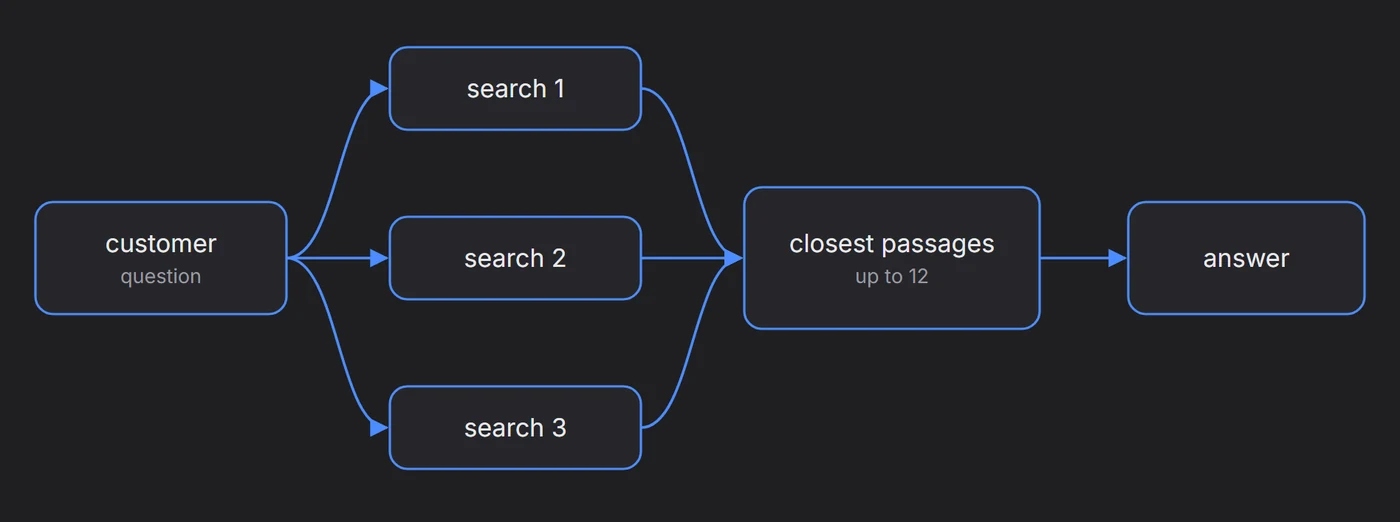
The important consequence is that the agent never sees your knowledge base the way you do. It sees a handful of passages, cut out of their documents, with no heading above them and no paragraph before them, and it has to answer from those alone.
The one rule that follows from this: every passage should make sense to someone who has never seen the rest of the document.
Why FAQs written for people fail agents
Most FAQs are written for human readers, who bring a great deal of context with them, and almost every habit of good human writing becomes a problem once the text is cut into pieces and searched by meaning.
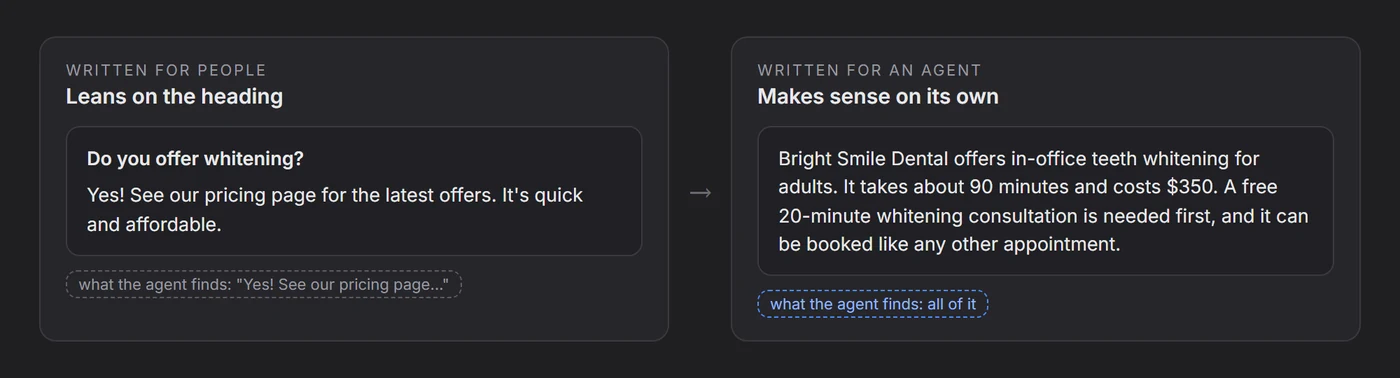
| Habit that works for people | Why it fails for an agent |
|---|---|
| Answers that lean on the heading, such as “Yes, we do” under “Do you offer whitening?” | The heading is often not in the same chunk, so the agent finds “Yes, we do” with no idea what it refers to |
| Pronouns and references, such as “this service”, “as above”, “see the table” | The thing being referred to is in another passage the agent never saw |
| Information in tables, images or PDFs | Tables are often flattened into jumbled text, and pictures carry no text at all |
| Several versions of the truth, such as an old price page and a new one | The agent may find either, and has no way of knowing which is current |
| Marketing language, such as “affordable”, “competitive pricing” | It sounds like an answer but contains no fact the agent can repeat |
| Silence about what you don’t do | The agent can’t say “we don’t offer that” unless someone wrote it down |
None of these are failures of writing in the usual sense. They are simply the habits of documents meant to be read from beginning to end, applied to a system that reads in fragments.
What AI-ready knowledge looks like
Writing for an agent is closer to writing a good encyclopaedia entry than a good web page. Each entry should be complete on its own, specific, and honest about its limits.
- One topic per entry: a single entry about Invisalign is easier to find and harder to misread than a long page that covers every orthodontic service at once.
- Name things explicitly: write “Bright Smile Dental offers Invisalign” instead of “We offer it”, so the passage carries its own subject wherever it ends up.
- Give exact facts: prices or price ranges, durations, who it’s for, what’s included, and what the customer needs to do first.
- Write the conditions down: “a free consultation is required before treatment” is the kind of detail customers ask about and agents can’t guess.
- Say what you don’t do: a short entry listing services you don’t offer prevents a great many confident wrong answers.
- Use the customer’s words: if customers say “clear braces”, mention that phrase somewhere, since the search works on meaning but benefits from familiar language.
- Keep one source of truth: when a price changes, update it in one place and remove the old version, instead of adding a new entry next to it.
- Turn tables into sentences: a short paragraph per row is far more reliable than a table, especially in documents that are converted from Word or PDF.
A before-and-after test in Myna
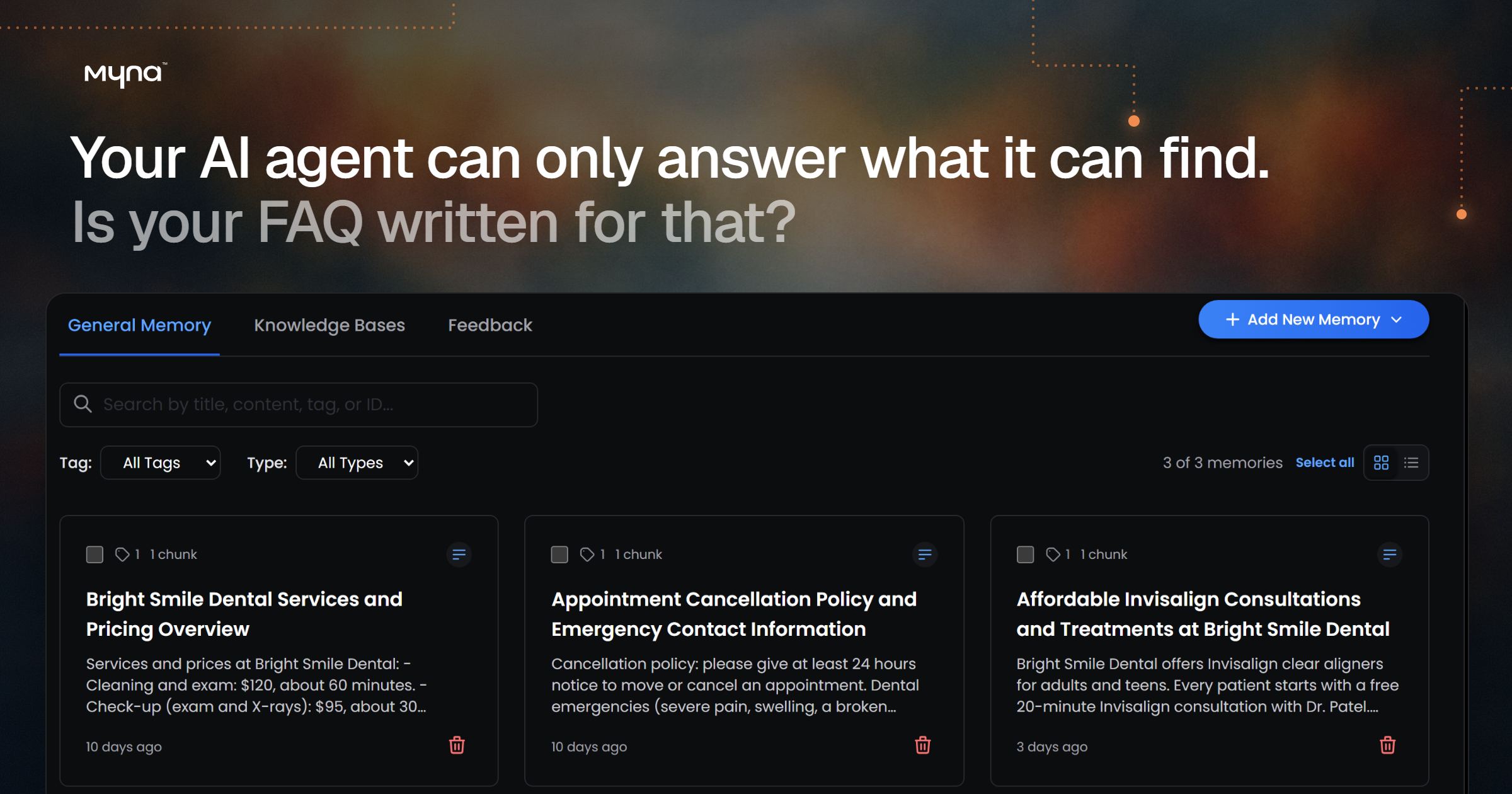
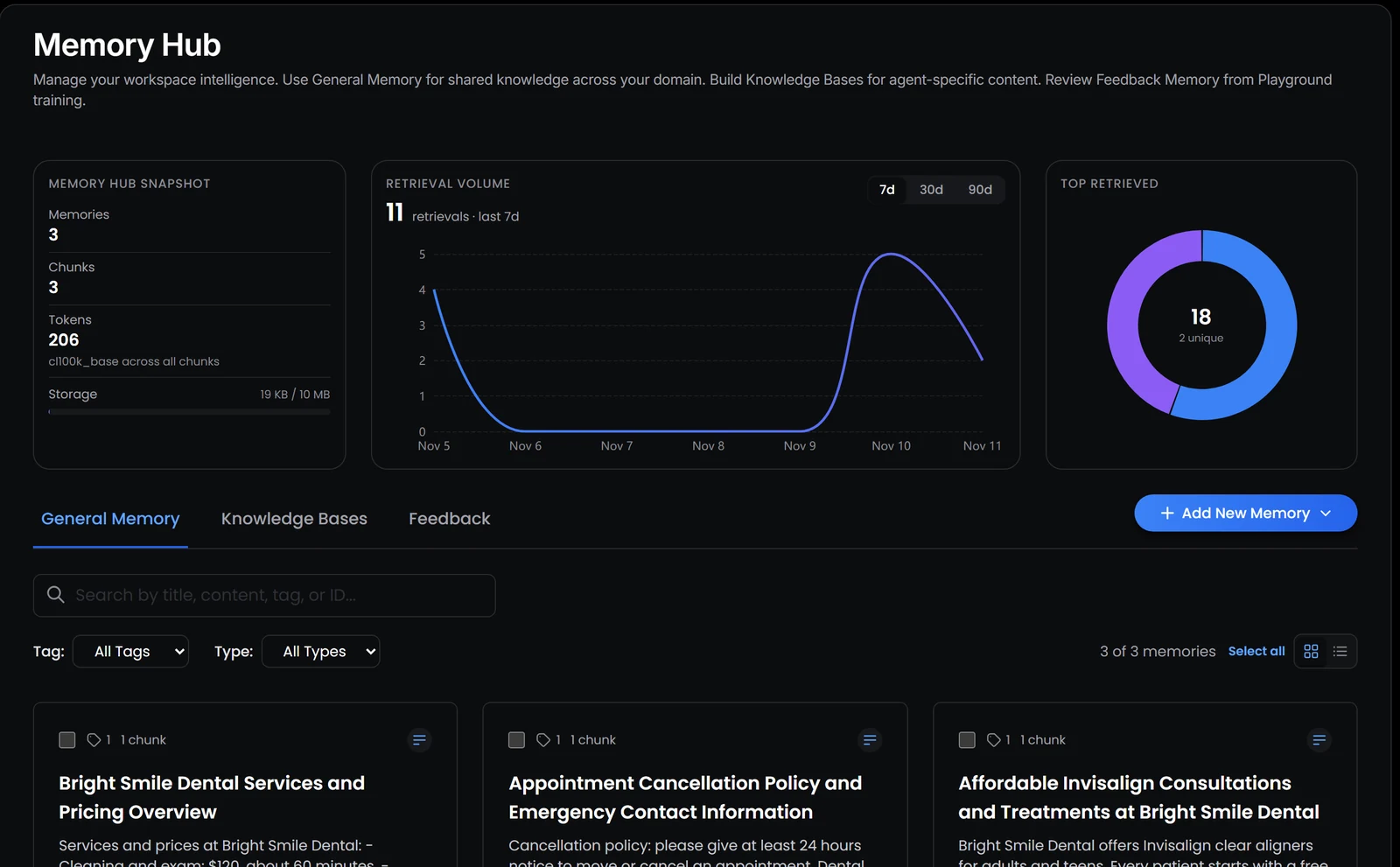
To see how much difference one entry makes, we used a booking agent for a fictional dental clinic, Bright Smile Dental. Its knowledge started with two entries, one listing services and prices and one covering the cancellation policy and emergencies. Neither mentioned Invisalign.
1. Ask about something the agent doesn’t know
In the Playground, Myna’s test environment, we sent the agent a question a real patient might ask: “hi, do you guys do invisalign? and roughly how much does it cost”.
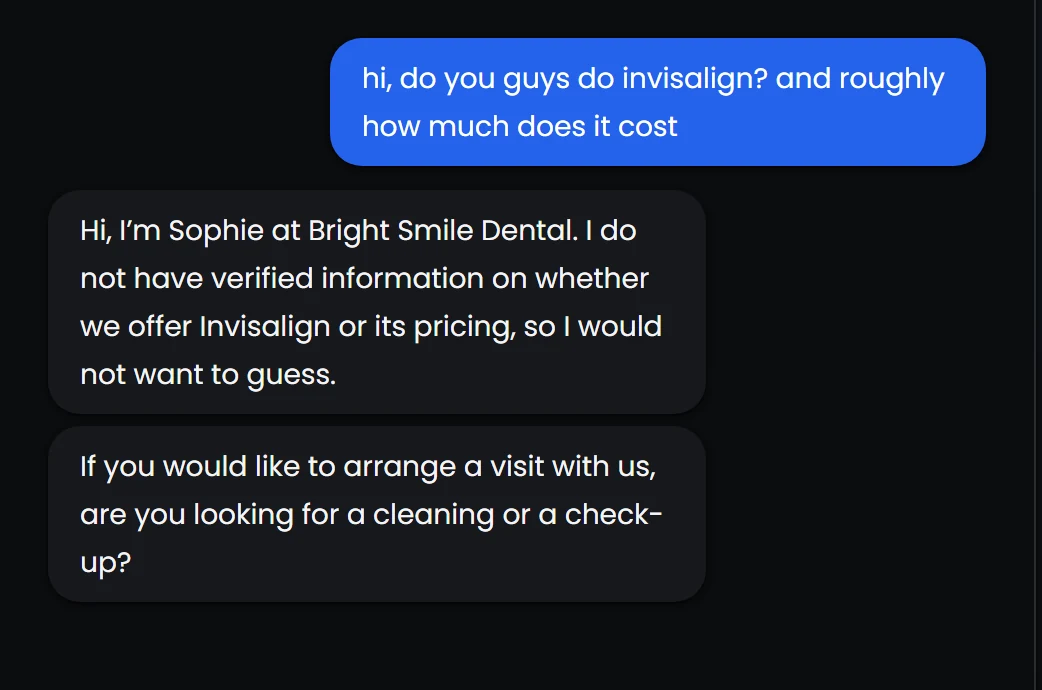
This is the behaviour you want from an agent with a gap in its knowledge. It didn’t invent a price or claim the clinic offers a treatment it might not, and it moved the conversation back to something it could help with. It’s also a signal, since every “I don’t have that information” in a transcript is a gap someone should fill.
2. Add one AI-ready entry
In Memory Hub, we added a single text memory written according to the checklist above. It names the clinic and the treatment, gives a price range and duration, mentions the free consultation and the dentist’s name, covers payment plans and says how to book.
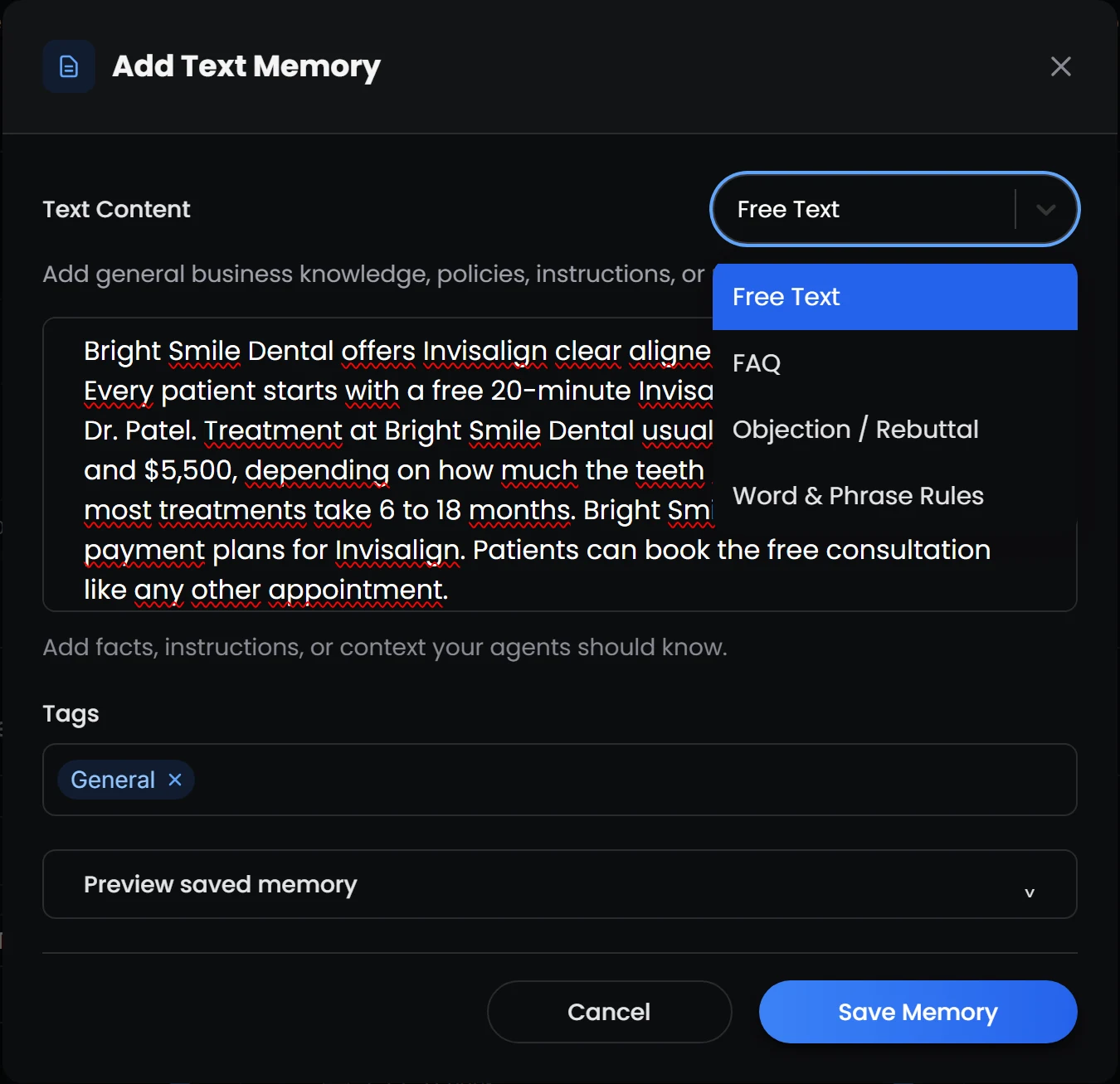
The template menu offers a few shapes for knowledge. FAQ suits a single question and its answer, Objection / Rebuttal suits a concern such as price and how to respond to it, and Word & Phrase Rules covers wording the agent should use or avoid. We used Free Text because the entry covers several related facts. Myna gave the memory a title on its own, split it into a searchable chunk, and it was ready to use straight away.
3. Ask the same question again
We reset the conversation and sent exactly the same message.
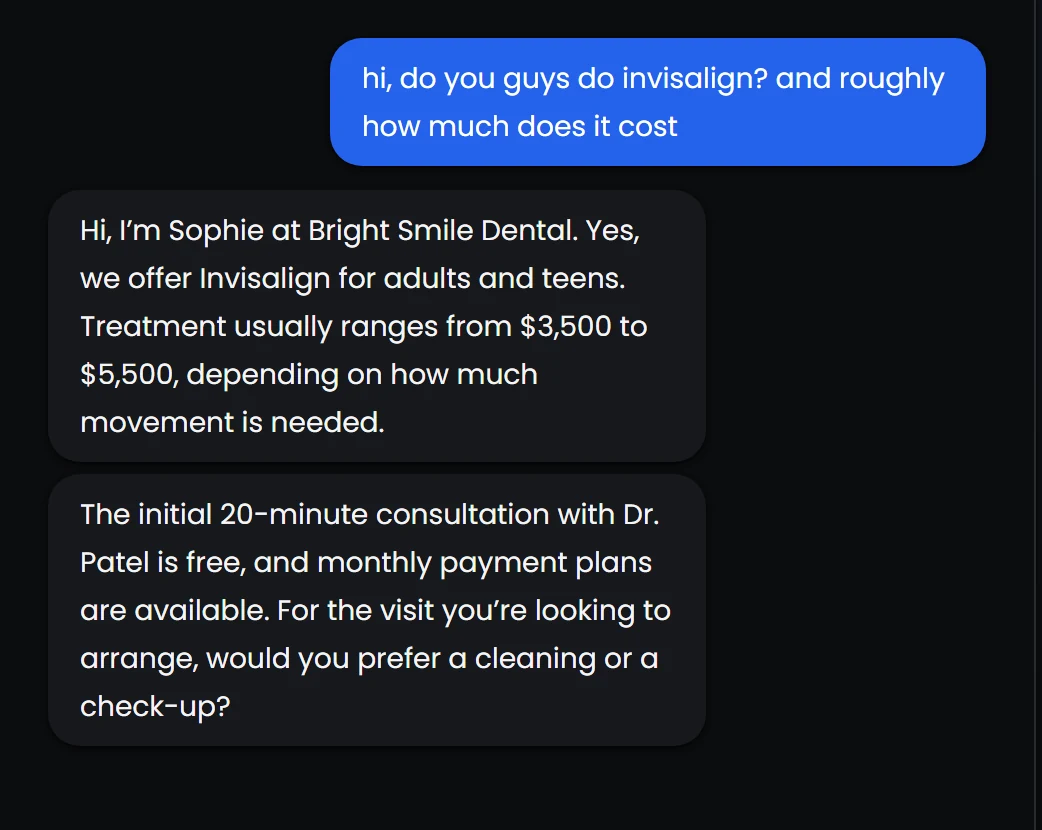
This time the agent answered completely and accurately, with the treatment, the price range, the reason the price varies, the free consultation, the dentist’s name and the payment plans, all taken from the new entry and nothing added that wasn’t in it.
What the test also revealed
The reply ended with “would you prefer a cleaning or a check-up?”, which isn’t quite right for a patient asking about Invisalign. The agent’s knowledge had been updated, but its booking questions still only offered the two visit types it was originally set up with, so the knowledge and the booking flow disagreed about what the clinic offers.
This is one of the most common gaps in real deployments, and it’s worth checking for whenever you add a service. Knowledge tells the agent what’s true, while the agent’s instructions, required questions and calendars decide what it can actually do, and the two need to agree. In this case, the fix would be to add an Invisalign consultation as a visit type and give it a calendar to book into.
A habit worth building: once a week, search your agent’s conversations for “I don’t have” and “I’m not sure”. Each one is a question a customer actually asked and your knowledge couldn’t answer.
Keeping knowledge healthy
A knowledge base is never finished, because businesses change their prices, services and policies far more often than they update their documents. A few habits keep it accurate over time:
- Treat the agent’s gaps as a to-do list: the questions it couldn’t answer are the most valuable additions you can make.
- Remove before you add: when something changes, delete or edit the old entry so there is only ever one version of each fact.
- Re-import your website after big changes: imported pages go stale just as quickly as written ones.
- Test after every change: a quick question in a test environment confirms the new entry is being found and used the way you expected.
- Keep instructions out of the knowledge base: rules the agent must follow on every message, such as words it must never use, belong in its instructions, since knowledge is only seen when a search happens to bring it up.
A catalogue for your business
The nineteenth-century librarians understood that knowledge which can’t be found is barely knowledge at all, and an AI agent turns that observation into a very practical problem. Every answer it gives depends on whether the right passage can be found and understood on its own, which means the quality of a business’s knowledge base now shows up directly in the quality of its customer conversations.
The good news is that fixing it rarely requires anything technical. It requires writing each fact as though it might be read alone, by someone who has never seen the rest of your website, which is more or less exactly what’s going to happen.