
Drag and Drop
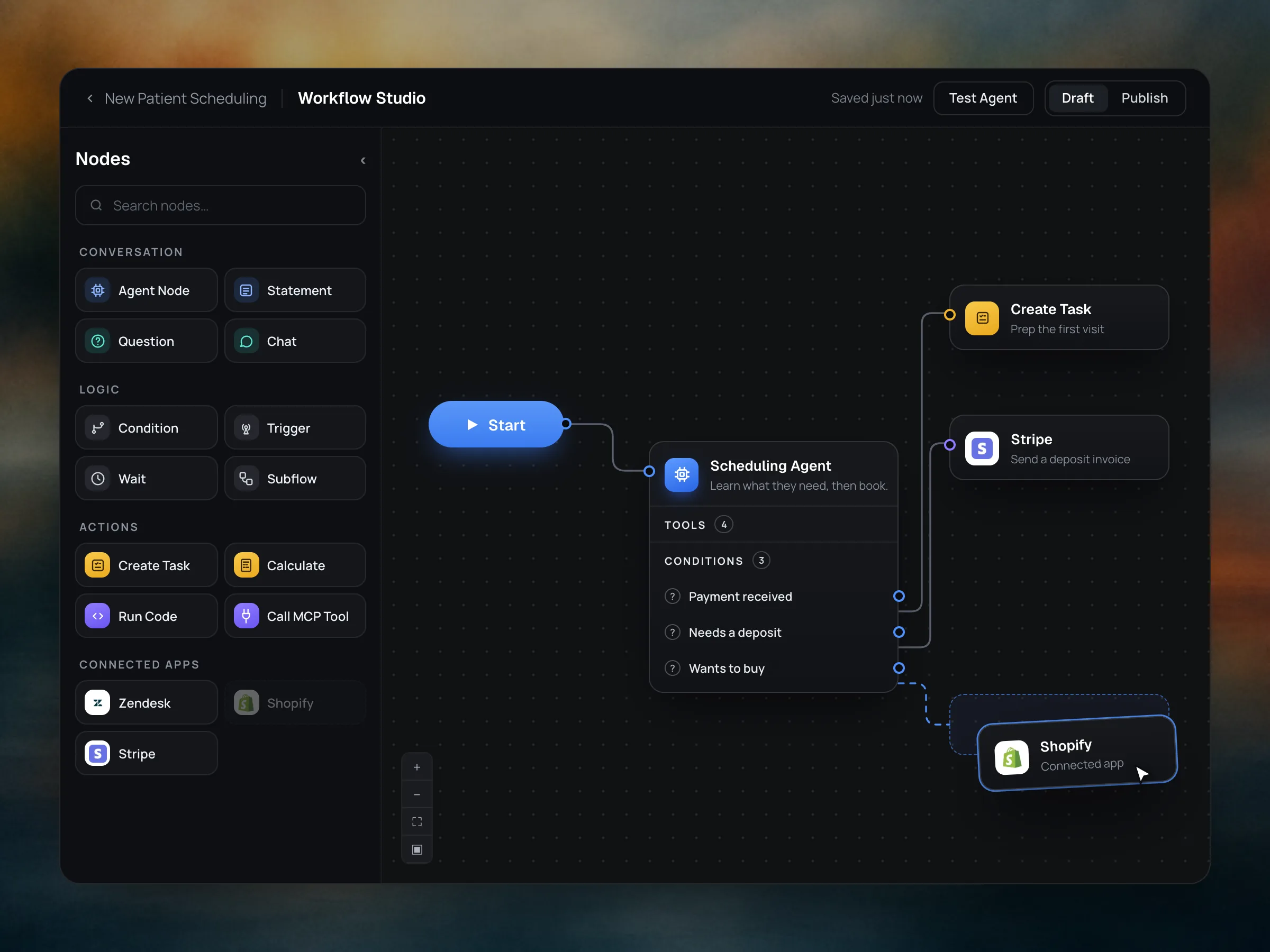
Select from an extensive menu of workflow operations. Organize your logic visually. Connect your favorite apps for more options.
Build agentic workflows that can achieve anything you need.
Get startedWorkflow Studio is a canvas for designing complete customer conversations. Combine autonomous agent nodes with workflow operators, and route each conversation by logic instead of a rigid script. Plug in any custom API, webhook, MCP server or sandboxed code. It's a workflow harness with no ceiling.
Runs on any channel.
Select from an extensive menu of workflow operations. Organize your logic visually. Connect your favorite apps for more options.
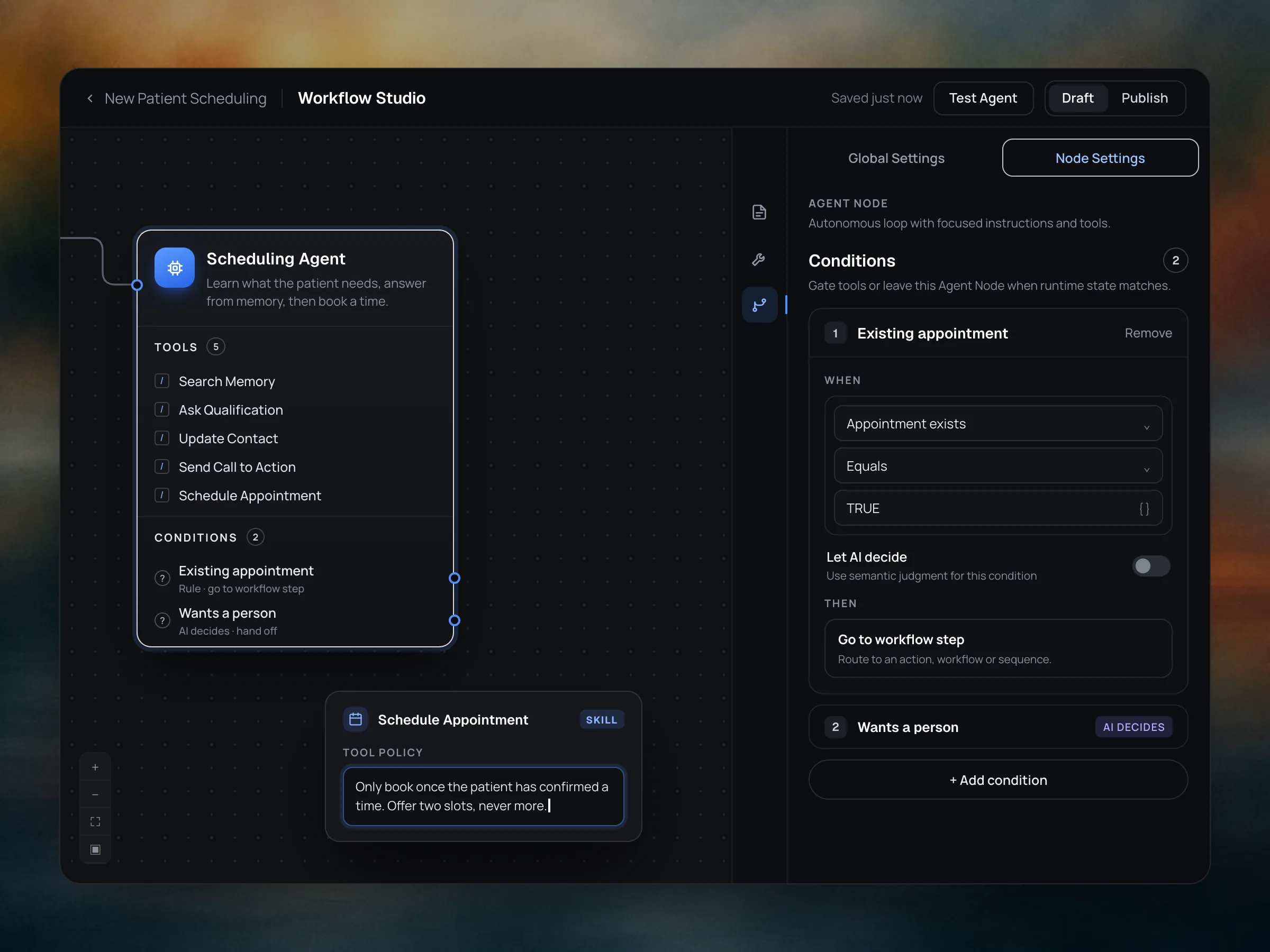
One autonomous agent carries the whole conversation. It runs on the Myna Agent Runtime, which pairs model reasoning with structured logic, so it can think freely and still stay on track. Choose the tools it can use and give each one its own policy. Add deterministic or AI-inferred exit conditions.
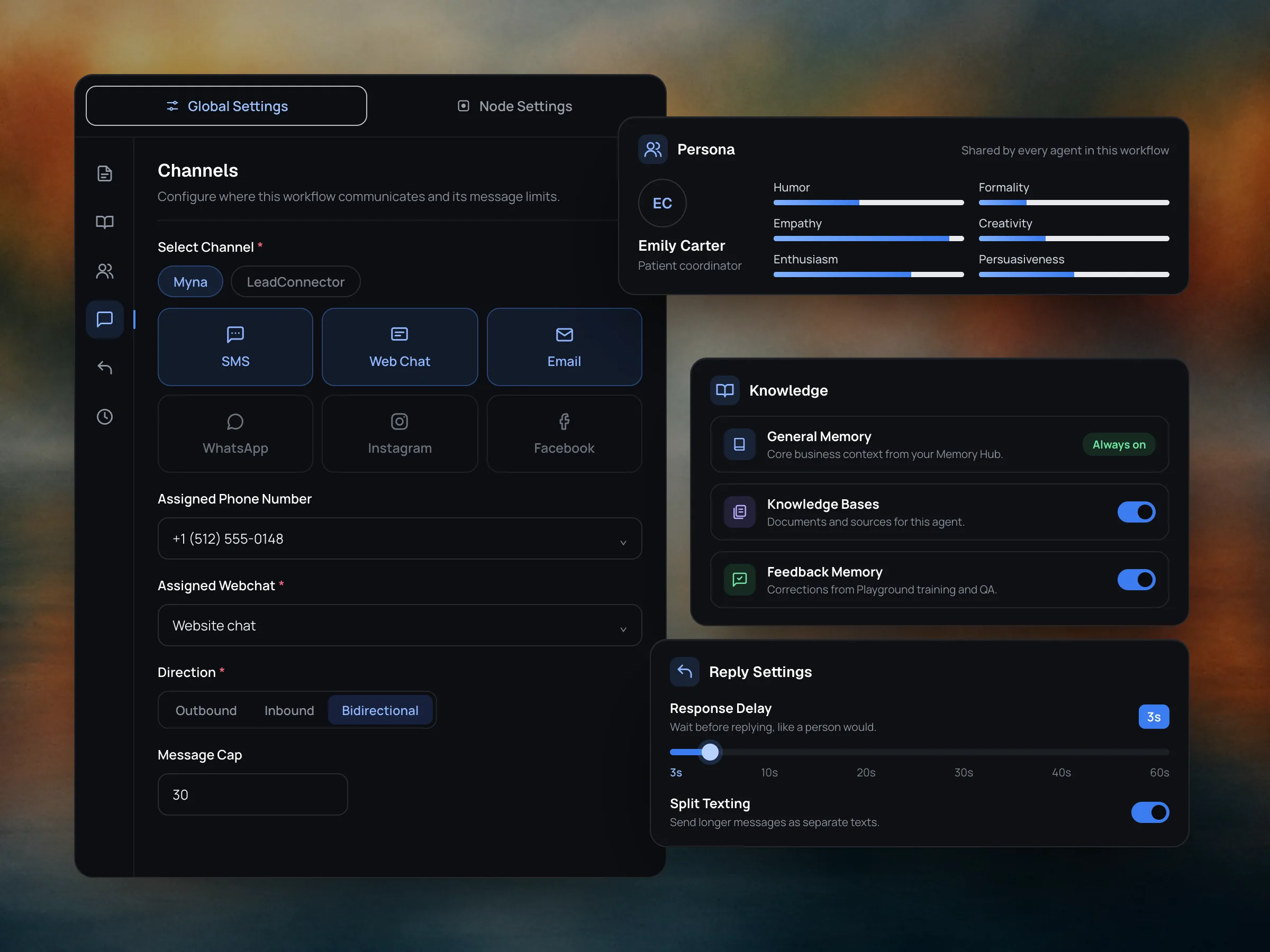
Set knowledge, persona, channels and reply behavior once, and every agent in the workflow inherits them. No prompt files to maintain and nothing extra to wire: pick a persona, switch on the knowledge it can draw from, choose its channels and decide how it replies.
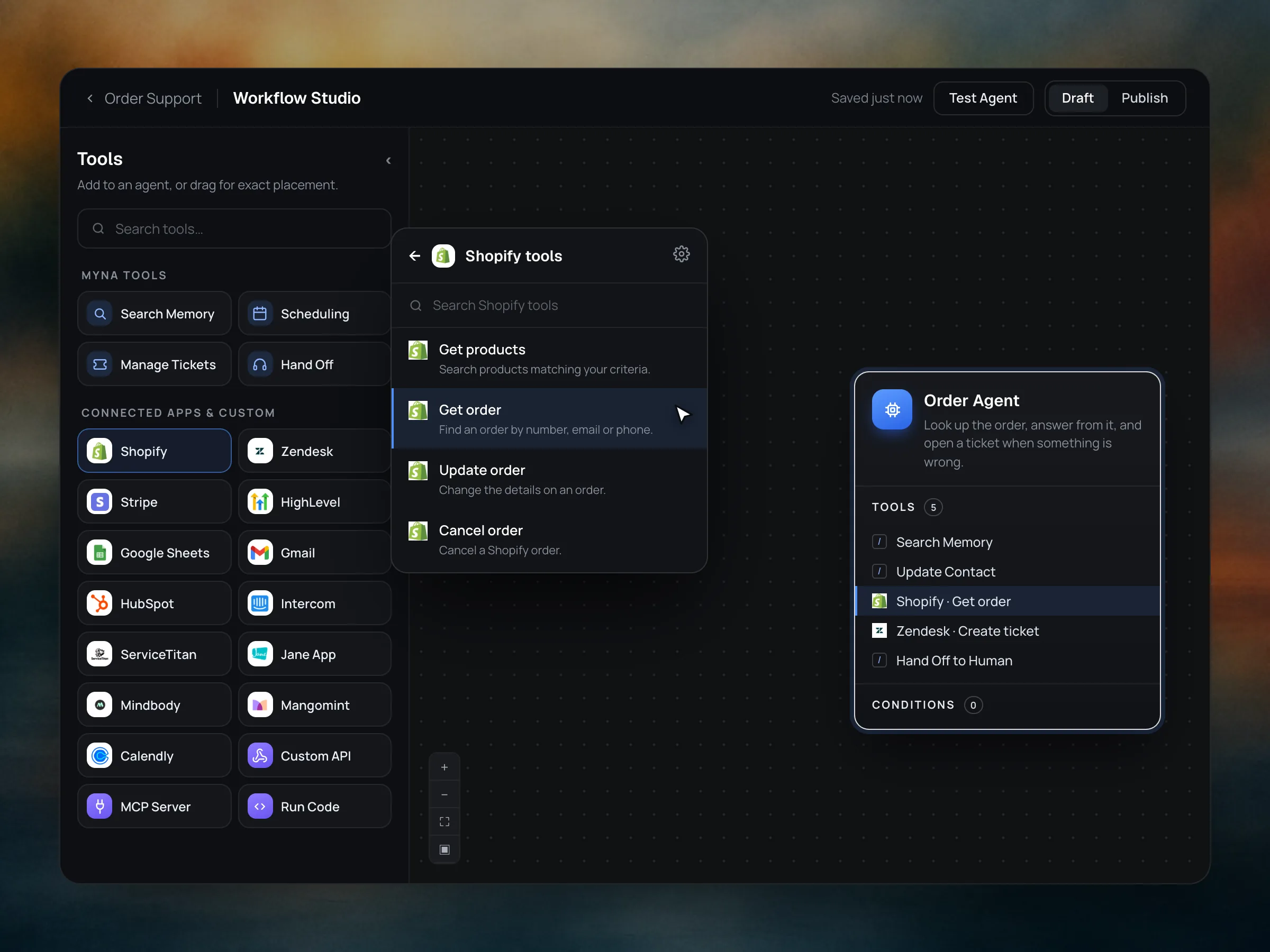
Pick from a growing library of tools and skills, with native actions for dozens of apps. Give any of them to an agent and set a policy for how it's used. When you need something of your own, build custom tools, skills and subflows from an API endpoint, an MCP server or sandboxed code.
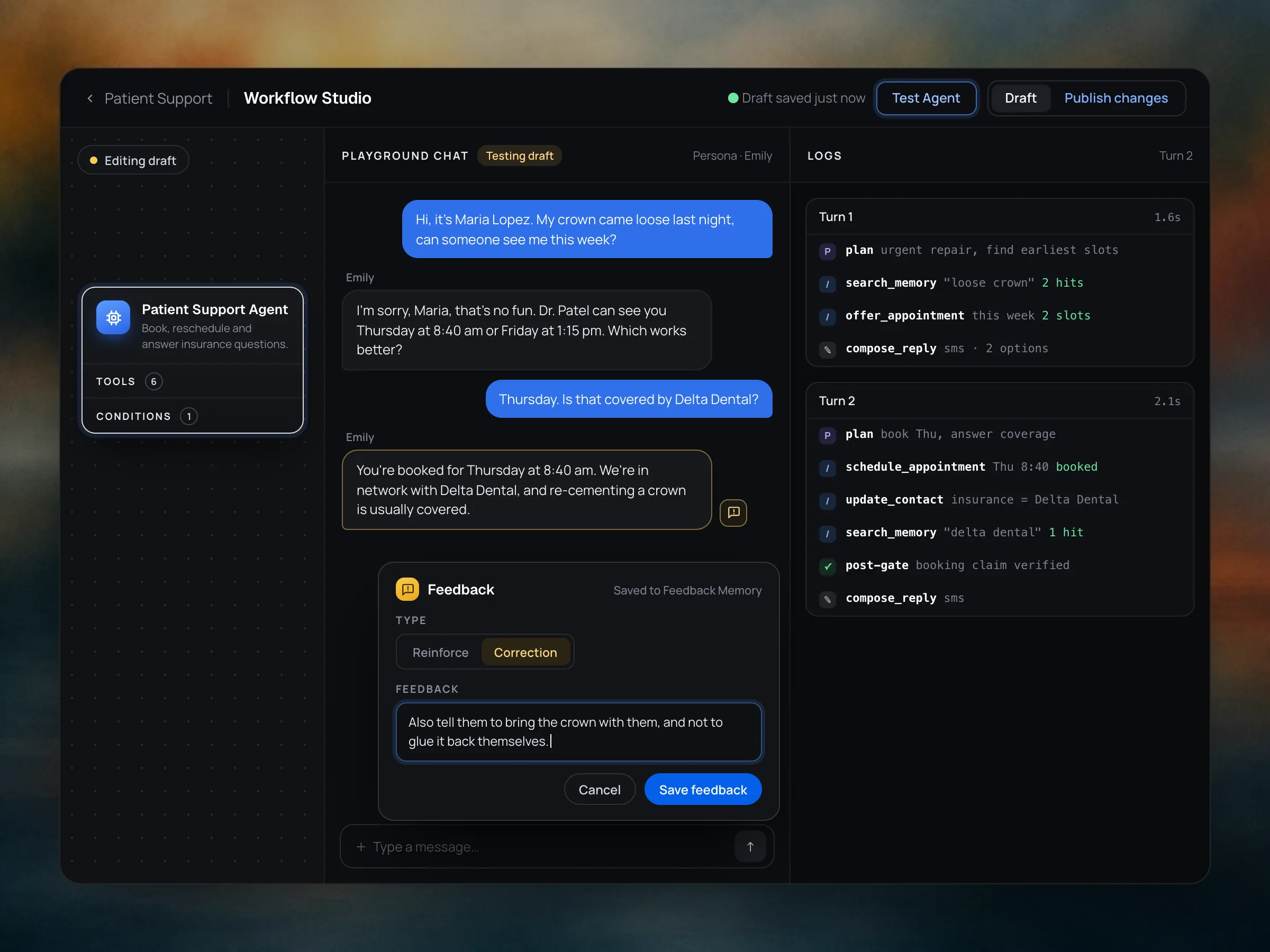
Drafts save automatically as you work. Test every iteration in the Playground, right inside the Studio, then publish to deploy it live.
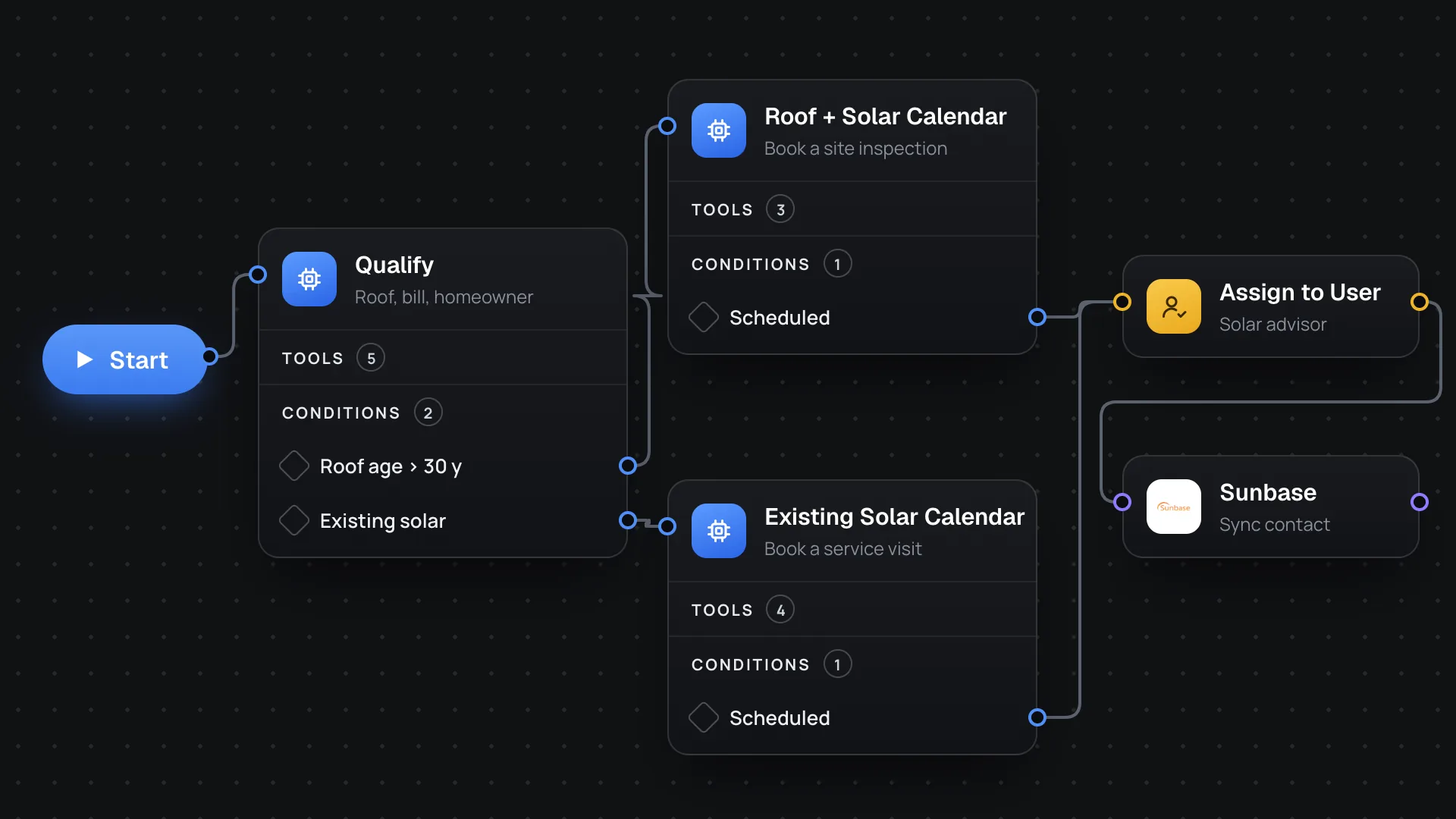
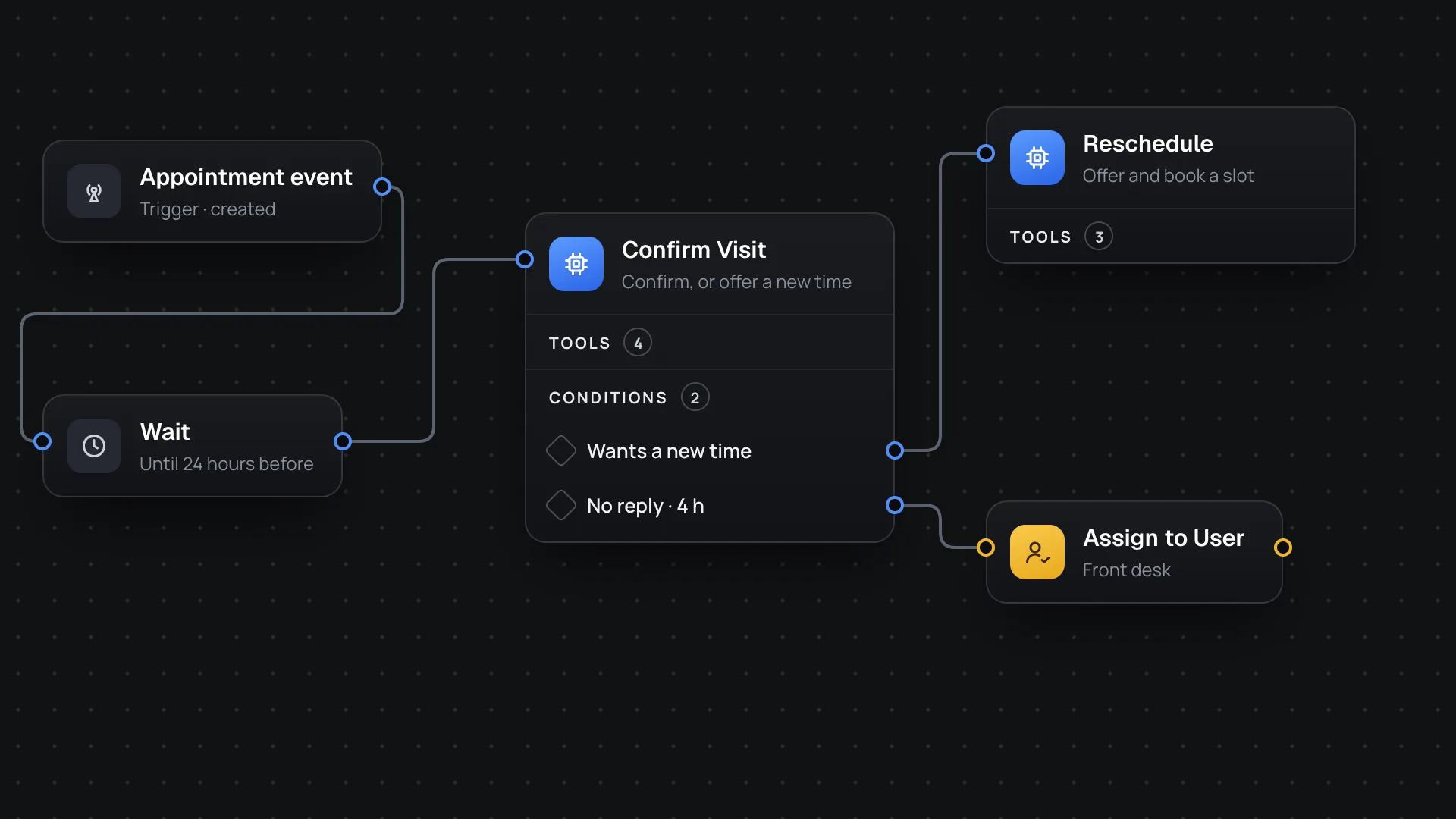
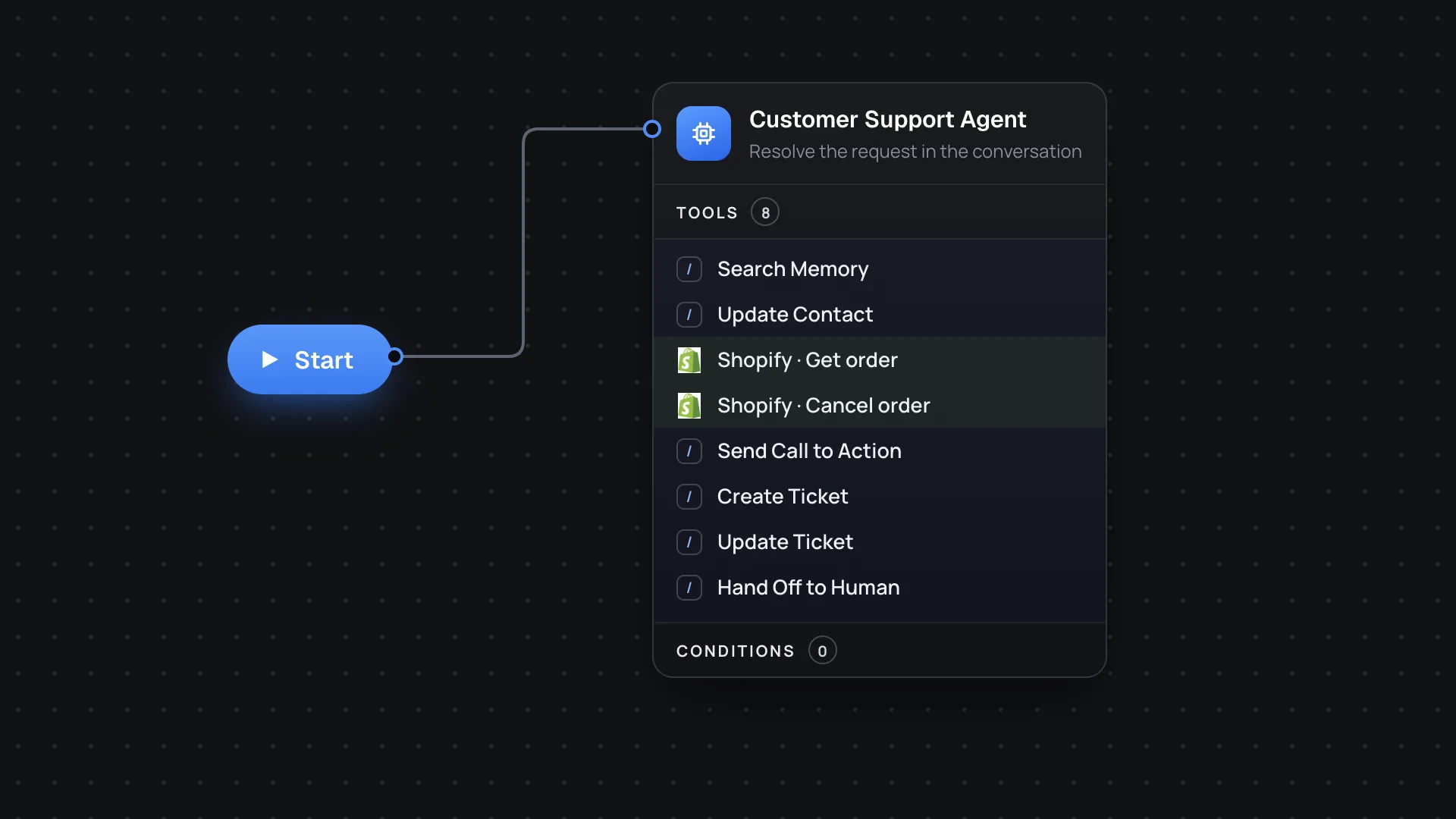
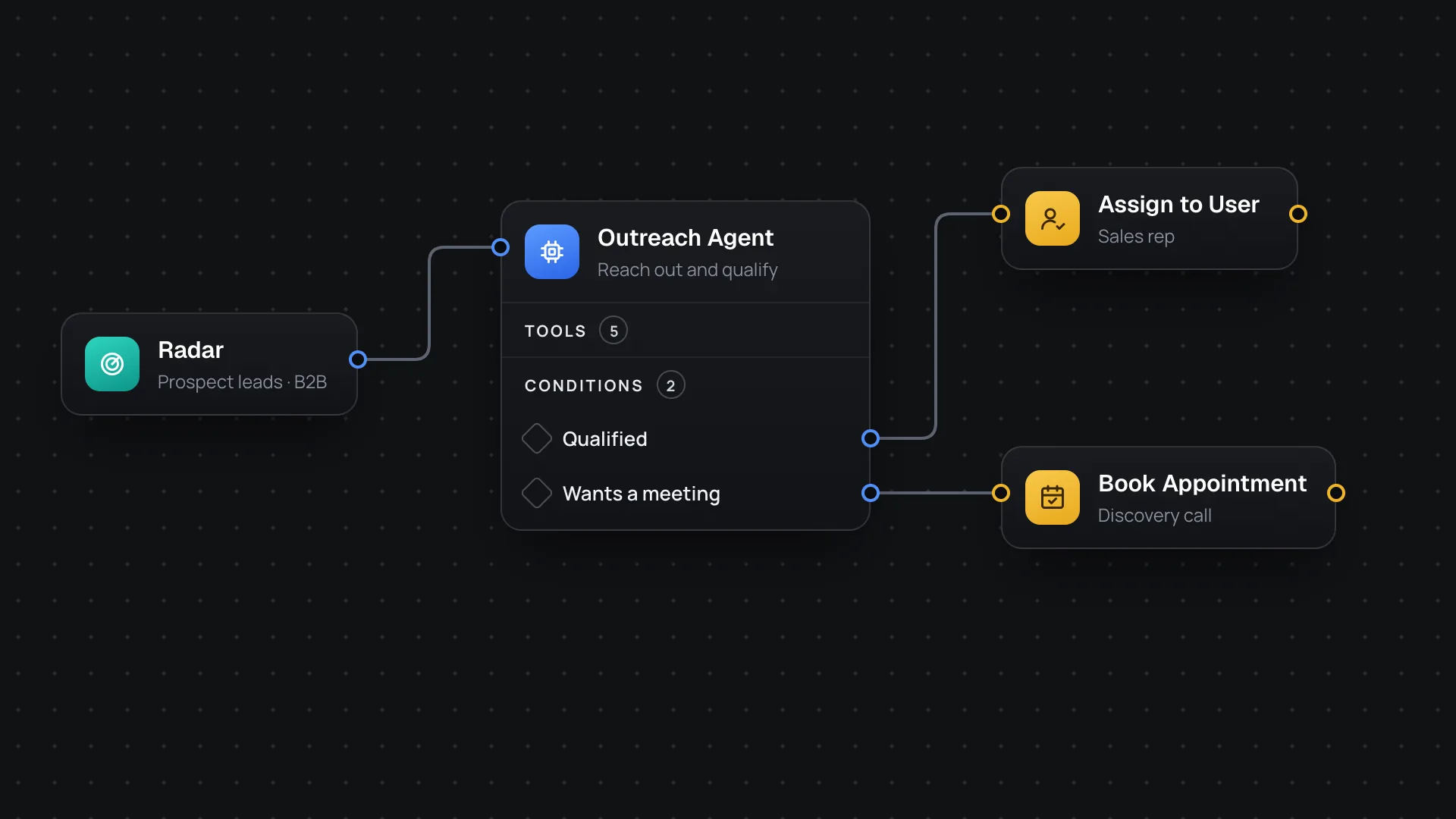
A few workflows we see often. Most are five steps or fewer.
Solar
Dental
E-commerce
Agencies
“We're more comfortable with our lead intake than ever before. I'm able to fully understand the process because of the workflow studio. The agent intelligently routes conversations as intended, and does it naturally.”
“We deploy complex agents from the workflow studio using only a single step. It's incredible.”
Something else on your mind? The documentation has the details.
Read the documentationNo. Engines, triggers, conditions and actions are all set up on the canvas. Run Code is there for the cases where you want it, such as a check against your own billing system.
Yes. Engines are ready-made workflows: Schedule Appointments and Customer Service come wired with instructions, tools and policies. Custom starts empty.
Test Agent opens the Playground beside the canvas and runs your draft. The logs show each turn's plan, tool calls and checks, and you can save a correction or reinforcement to Feedback Memory. Live conversations keep running the published version until you publish again.
Before anything goes live, the workflow is built exactly as a live conversation would load it. If it can't run, the publish stops and your current version stays live.
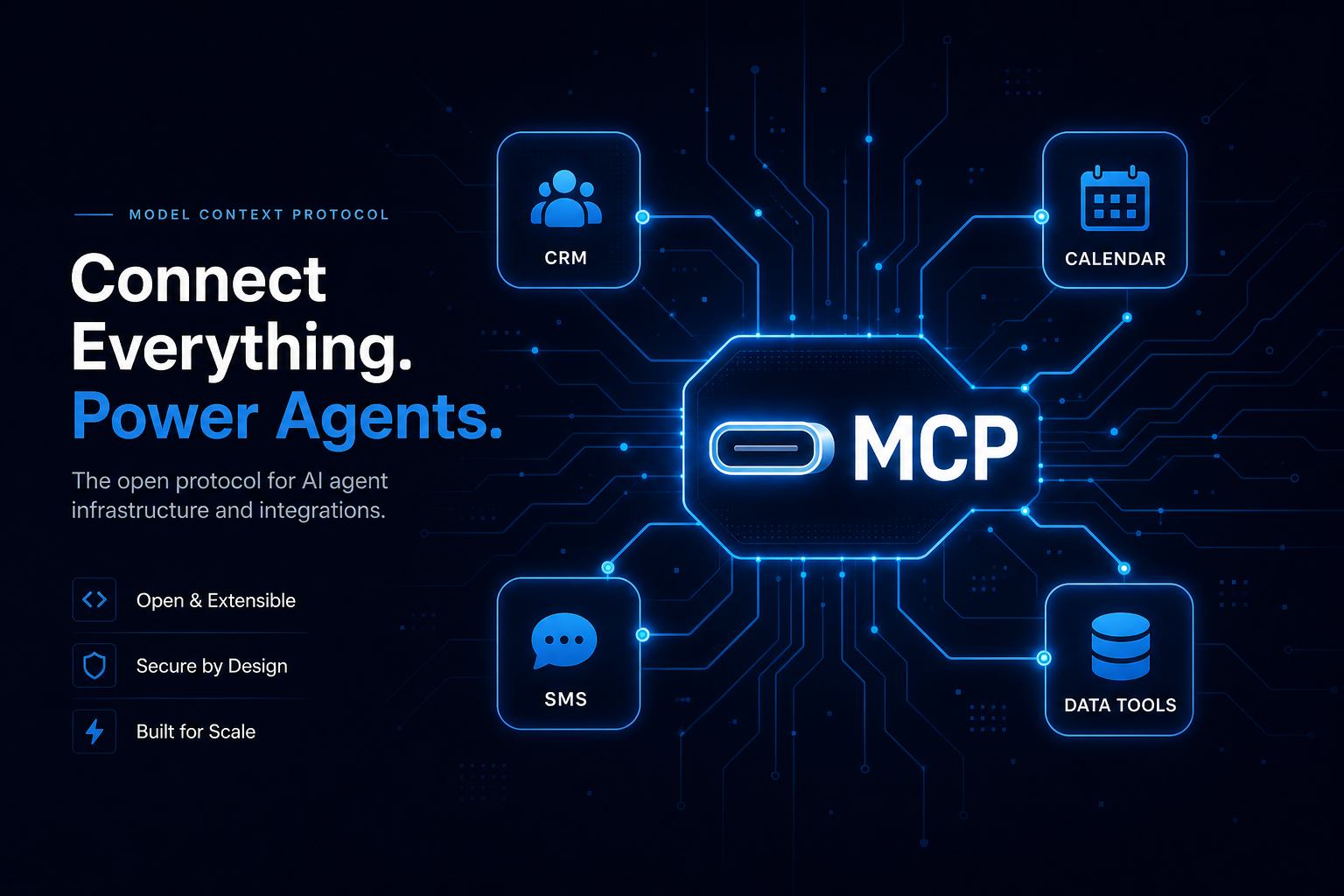
Yes. Use a Custom Webhook to call any API, Run Code for logic of your own, or Call MCP Tool for tools on a connected MCP server. API keys go in workspace secrets, not in the workflow.
Connected apps add their own actions to the tool library, such as looking up or cancelling a Shopify order or creating a Zendesk ticket. Others include HighLevel, HubSpot, Stripe, Google Sheets, Gmail, Intercom, ServiceTitan, Jane App, Mindbody, Mangomint and Calendly.
Start with one. Add another when part of the conversation needs its own instructions and tools, such as qualifying a lead and then booking on a different calendar. Conditions on the first agent decide when to move on, either by a fixed rule or by AI judgment.
The same workflow runs on SMS, webchat, WhatsApp and email. Replies are shaped for each channel, and you can adjust the reply style for SMS, webchat and email.