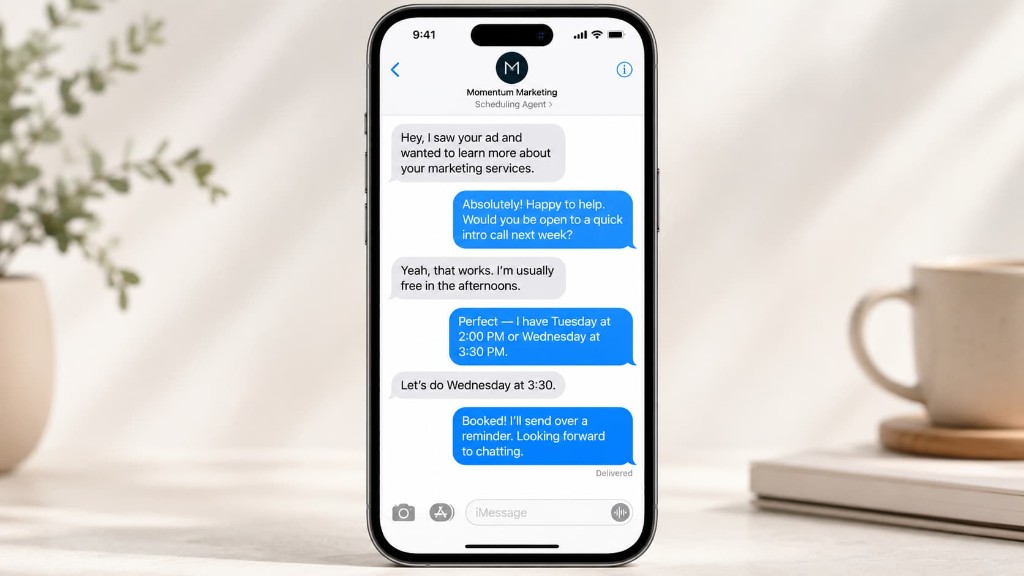

Schedule Appointments
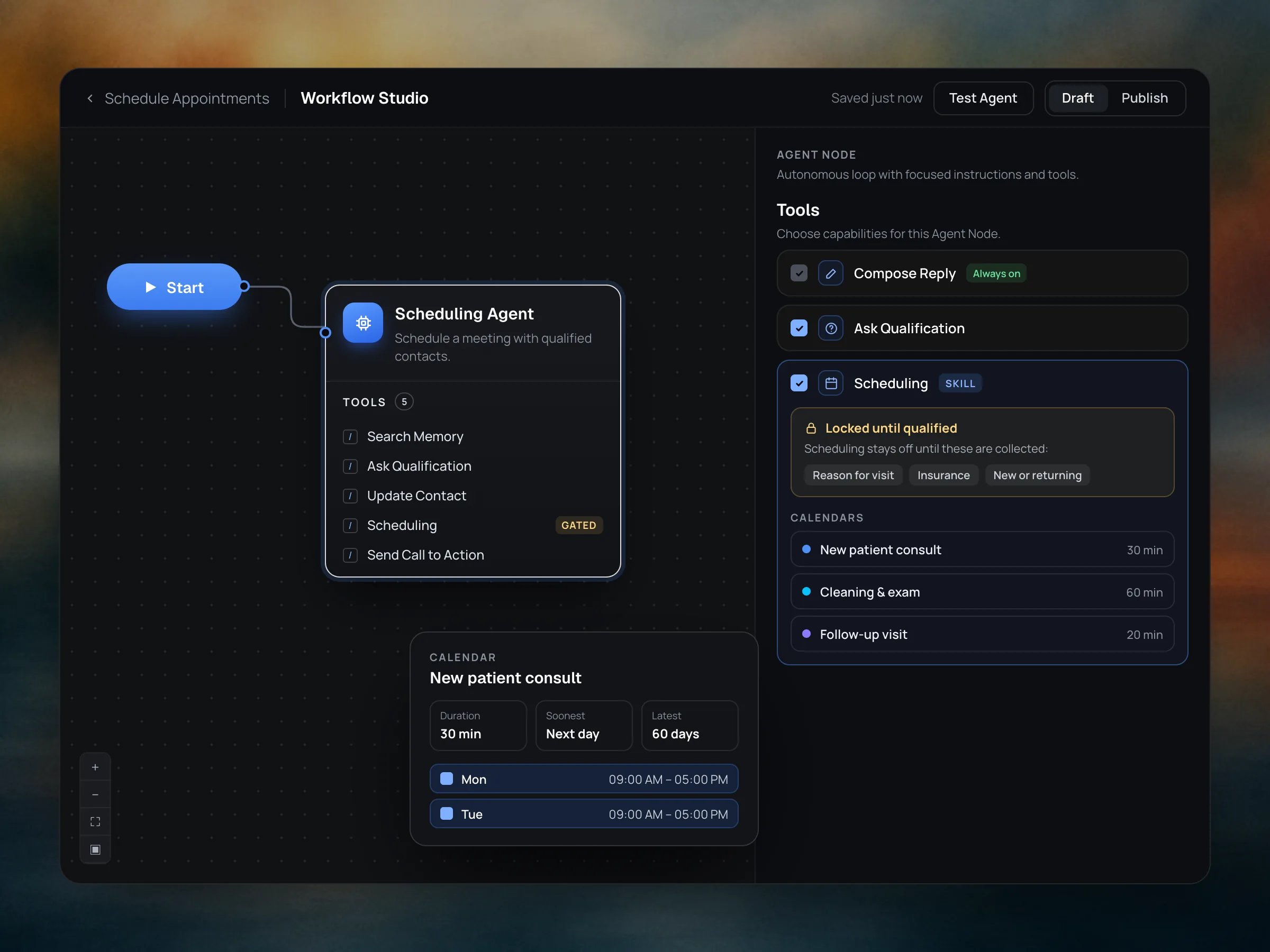
Qualifies leads, checks availability, and books across multiple calendars. Deterministic gating policies and availability windows set per calendar.
Choose from existing agentic workflow templates or build your own.
Get StartedEngines are agent templates that can be selected and deployed right away. Each comes with its own instructions, tools, and policies. Browse existing templates, ranked and shared by the community.
Customize any engine in Workflow Studio.
Qualifies leads, checks availability, and books across multiple calendars. Deterministic gating policies and availability windows set per calendar.
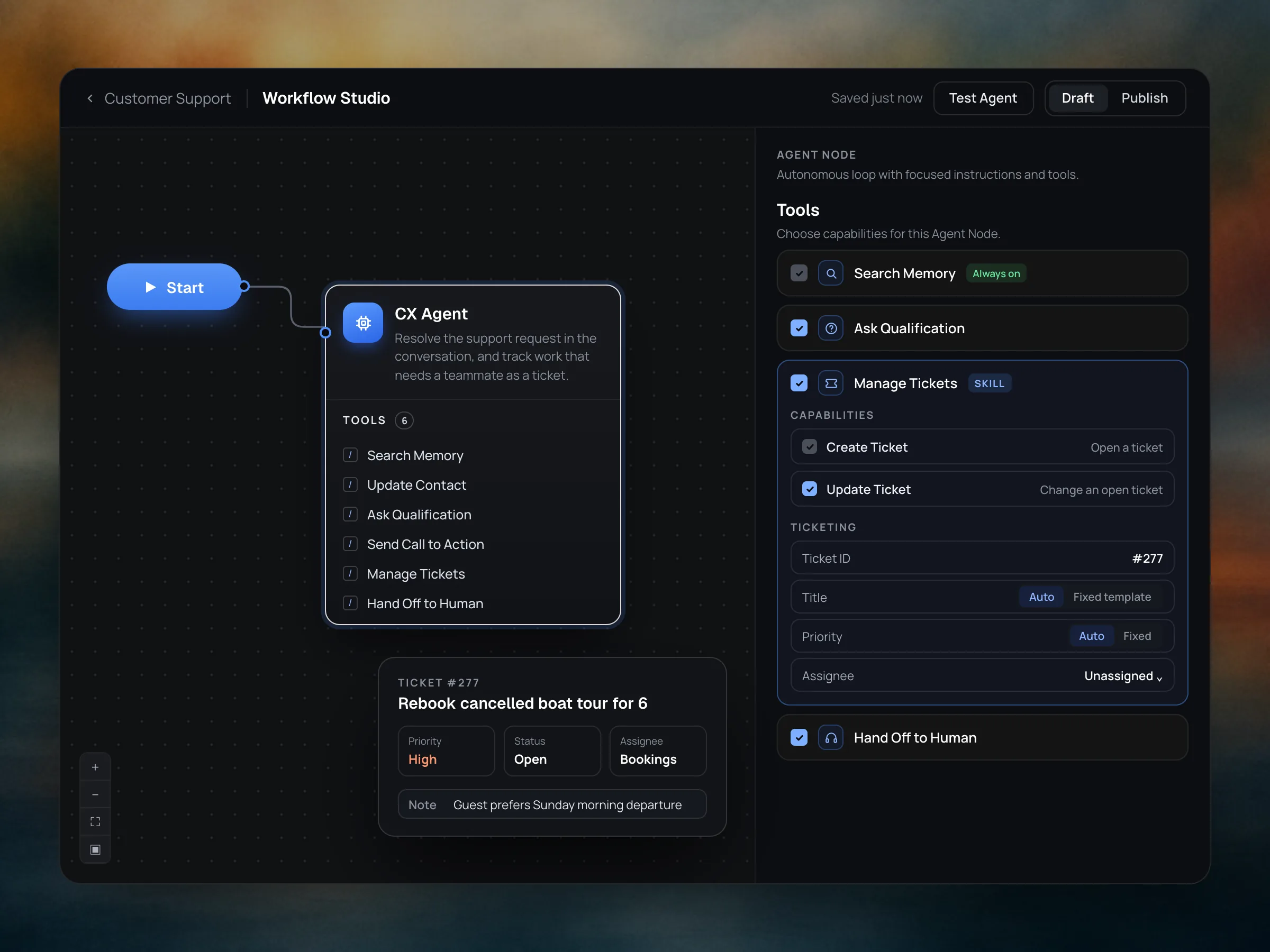
Resolves support requests in natural conversation, answering from your articles and policies. Collects intake details, sends calls to action, creates and updates tickets, and hands off to your team when needed.
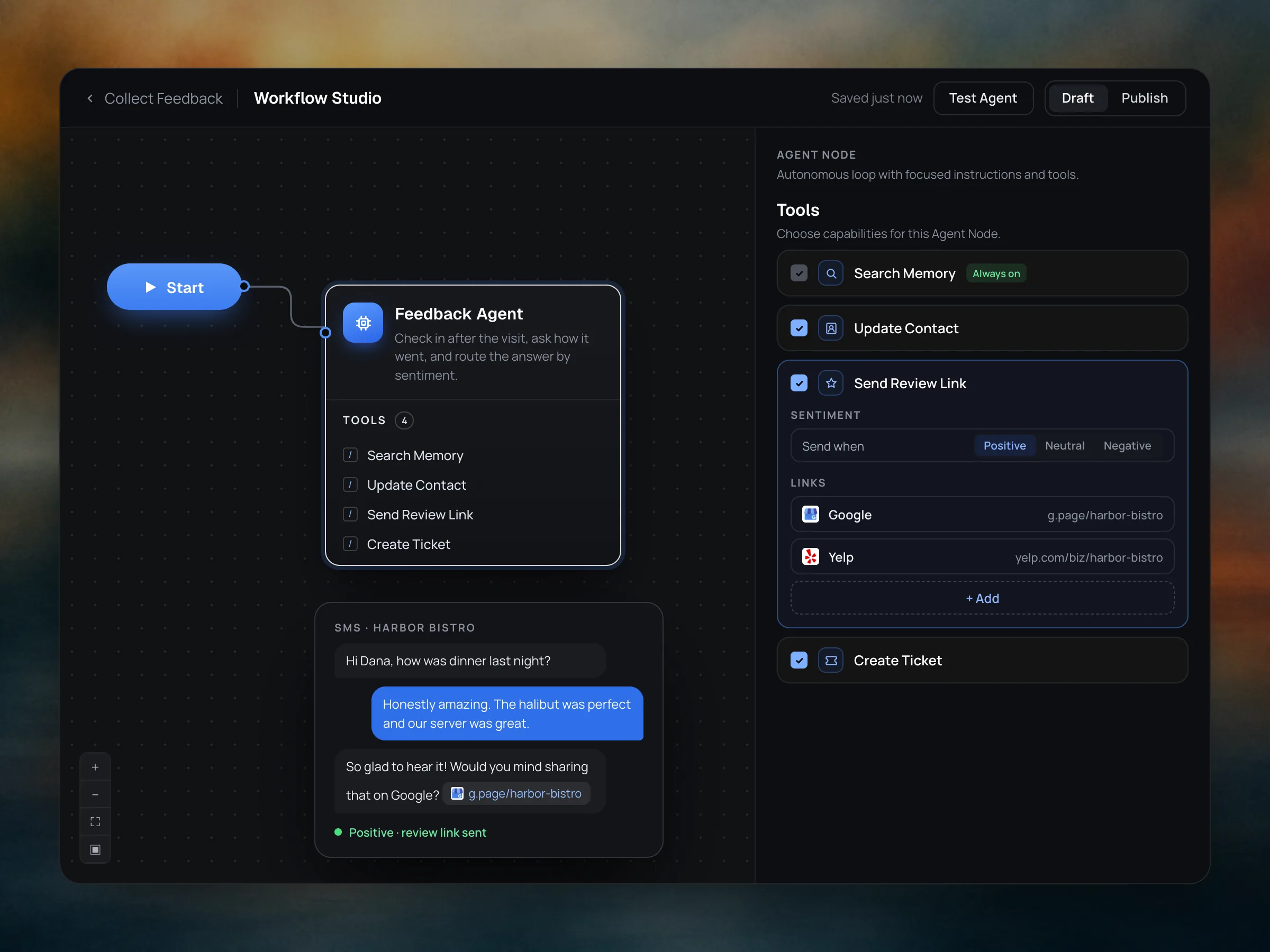
Follows up after a visit or purchase to gather ratings and comments in natural conversation. Sends happy customers to leave a public review, and turns unhappy ones into a support ticket before they post.
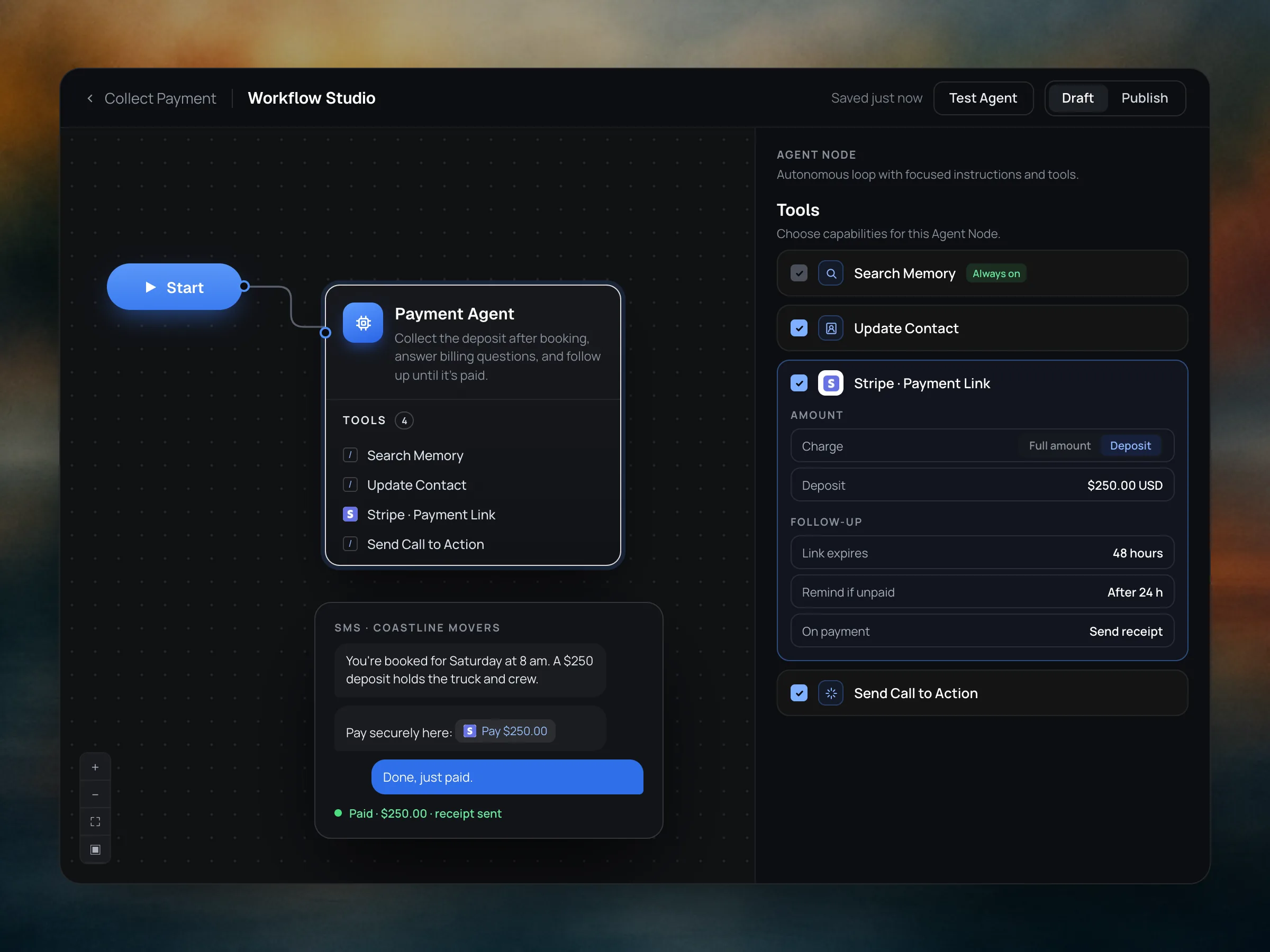
Sends payment links for deposits and invoices, answers billing questions in the conversation, and follows up until it's paid. Payments run through Stripe, with the receipt sent automatically.
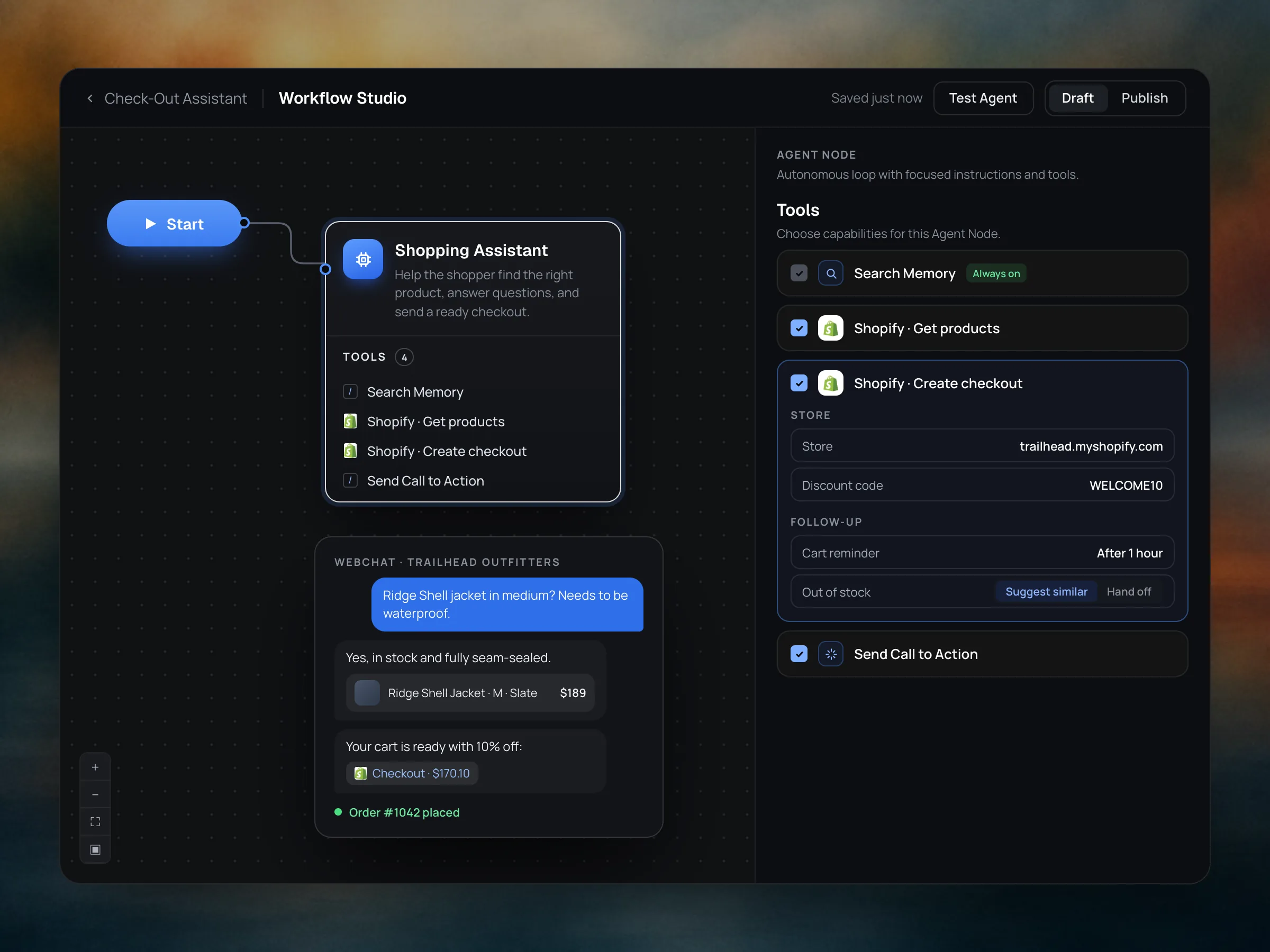
Helps shoppers find the right product, answers questions on fit, stock and shipping, and sends a ready-to-pay checkout. Applies discounts, suggests alternatives when an item is out of stock, and reminds them about an unfinished cart.
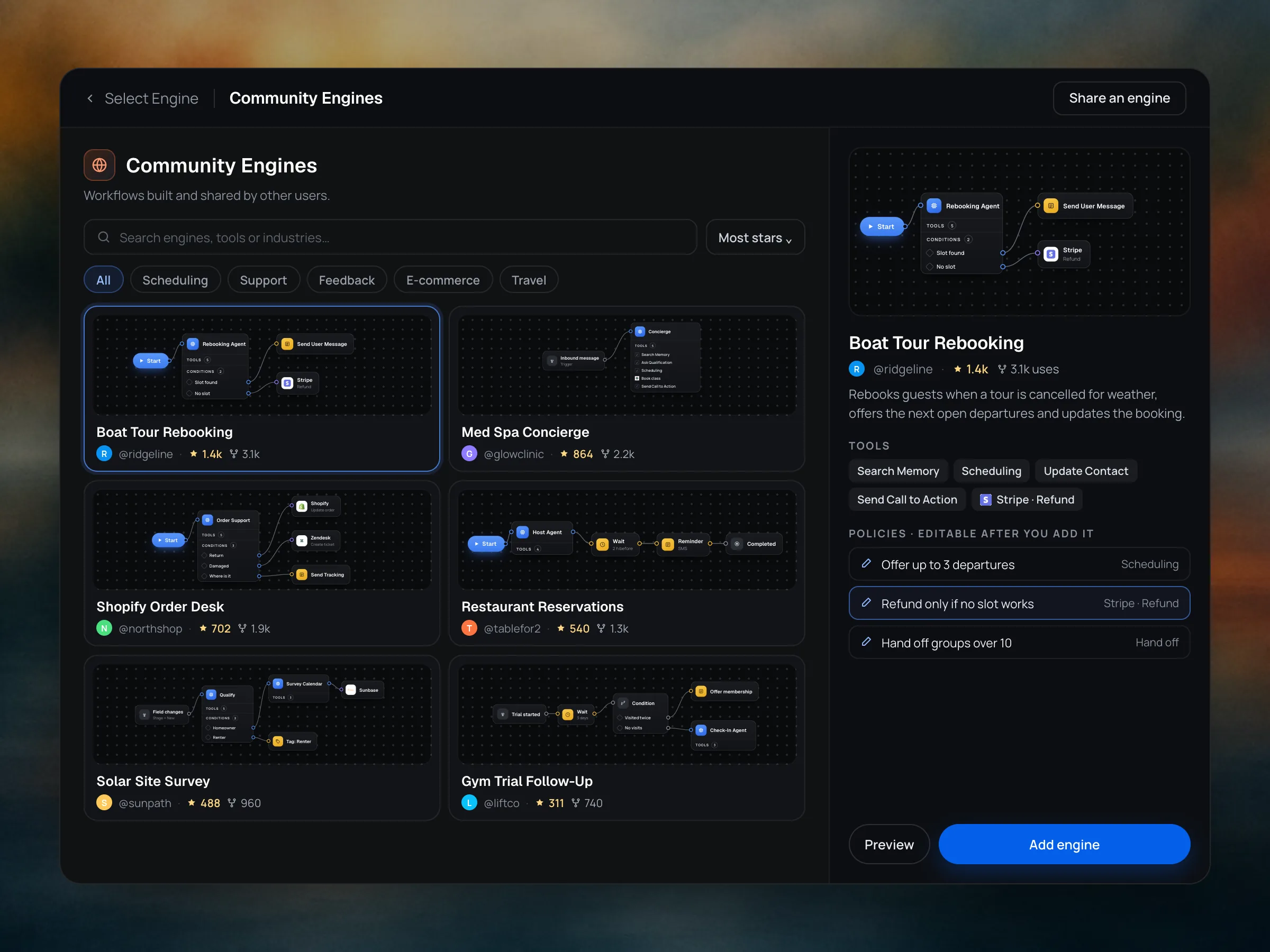
Explore agentic workflow templates created and shared by other users. Add one you like, and change the policies to make it your own.
“I can create and manage agents at scale thanks to the engines. My clients are super happy with the results.”
“We focus on conversation AI for our clients on GoHighLevel. Thanks to Myna and the scheduling engine, we can offer more- and deploy it quickly.”
Something else on your mind? The documentation has the details.
Read the documentationAn engine is an agent template you can select and deploy right away. Each one comes with its own instructions, tools and policies for a specific job, so the agent works from day one.
Schedule Appointments, Customer Support, Collect Feedback, Collect Payment and Check-Out Assistant. Community Engines adds templates built and shared by other users.
Yes. Open the agent in Workflow Studio to change its instructions, tools, policies and conditions. Your changes stay on your agent.
Scheduling is locked until the qualification questions you set are answered. Each calendar has its own duration, availability window and booking hours, and the agent only offers times inside them.
Yes. Connect several calendars to the Scheduling tool and the agent books on the right one for each conversation.
Templates built and shared by other users. Browse them by industry and job, preview each workflow and its tools, then add one and change its policies to make it your own.
Yes. Share an engine from your workspace and other users can find it, add it and star it.
Yes. An engine runs on SMS, webchat, WhatsApp and email, and replies are shaped for each channel.