
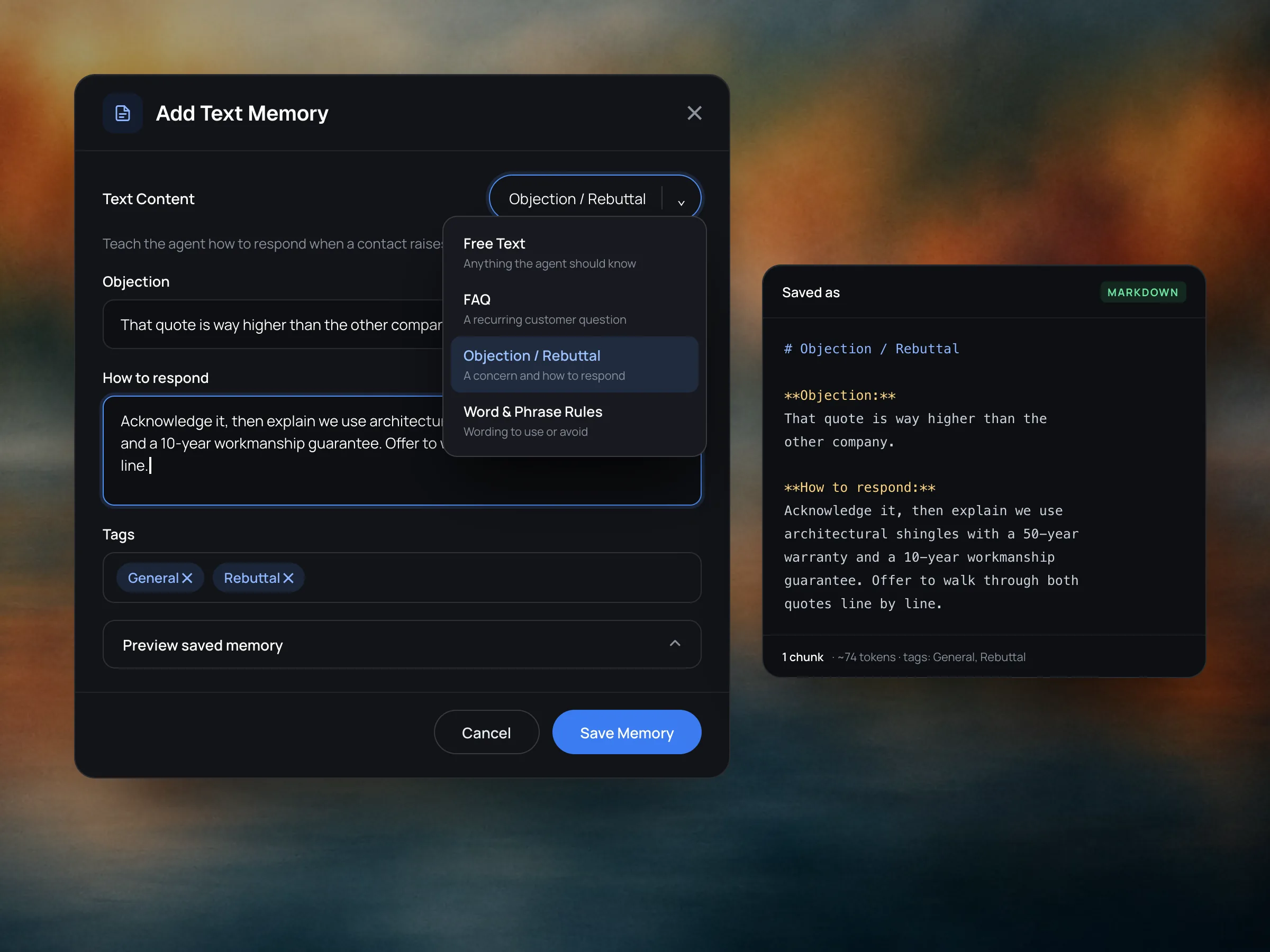
Free Text
Write knowledge in directly, or start from a template: FAQs, objections and rebuttals, and word and phrase rules. Each entry is saved as structured markdown, so the agent retrieves it cleanly.
Manage your knowledge bases in one place.
Get StartedThe Memory Hub is a central console to store and organize data for your agents. Embed data from almost any format. Content is chunked and indexed, with optional tags and rankings. Convert structured data into queryable tables. Create multiple knowledge bases. Manage self-generated reinforcement memory.
Inspect every chunk, token and retrieval.
Write knowledge in directly, or start from a template: FAQs, objections and rebuttals, and word and phrase rules. Each entry is saved as structured markdown, so the agent retrieves it cleanly.
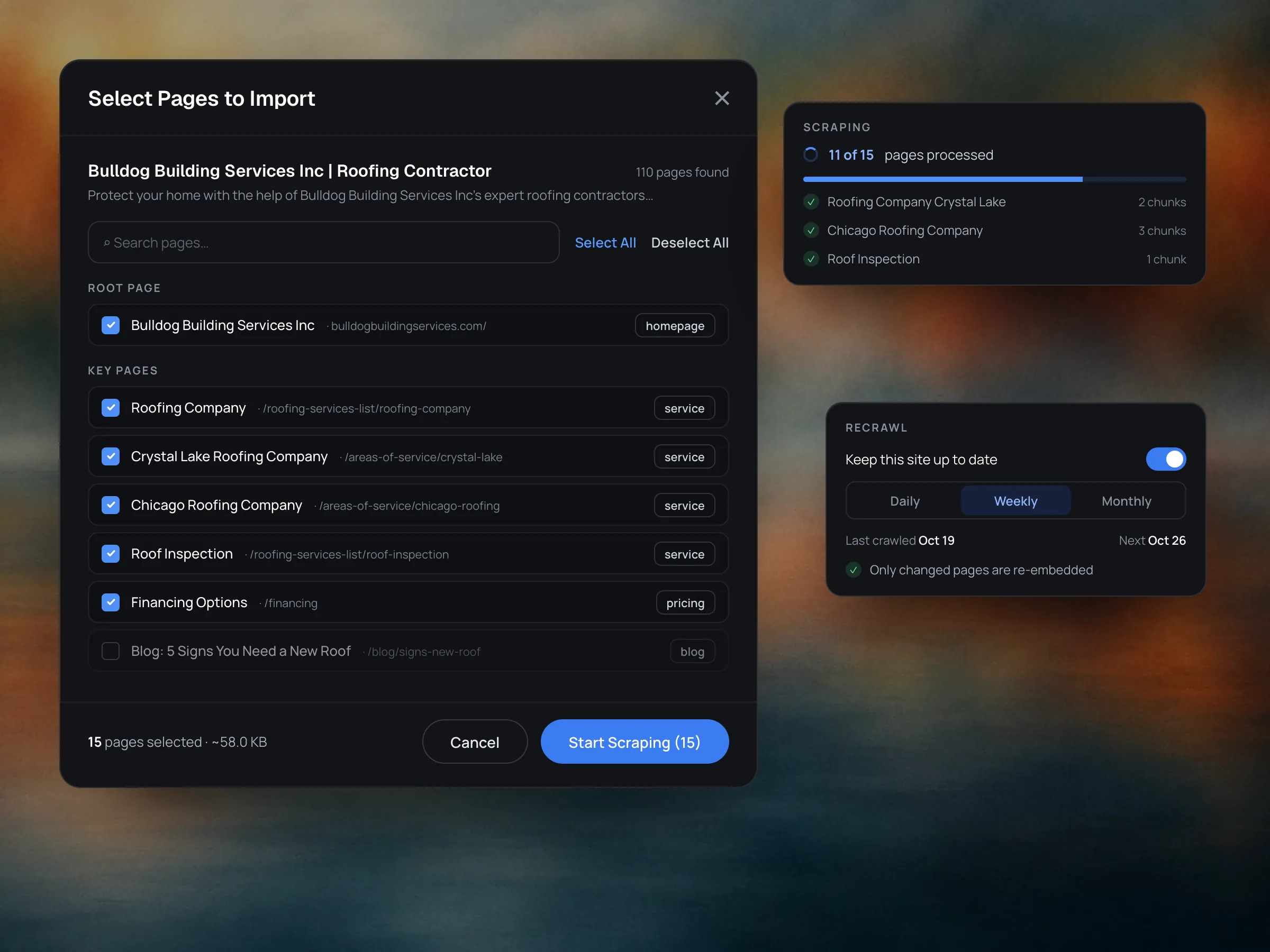
Paste a URL and Myna maps the site, pre-selecting the homepage and high-value pages while leaving blogs and legal pages out. Choose as many pages as you need and Myna scrapes them and strips out the HTML noise, keeping just the content. Recrawl on a schedule so answers stay current.
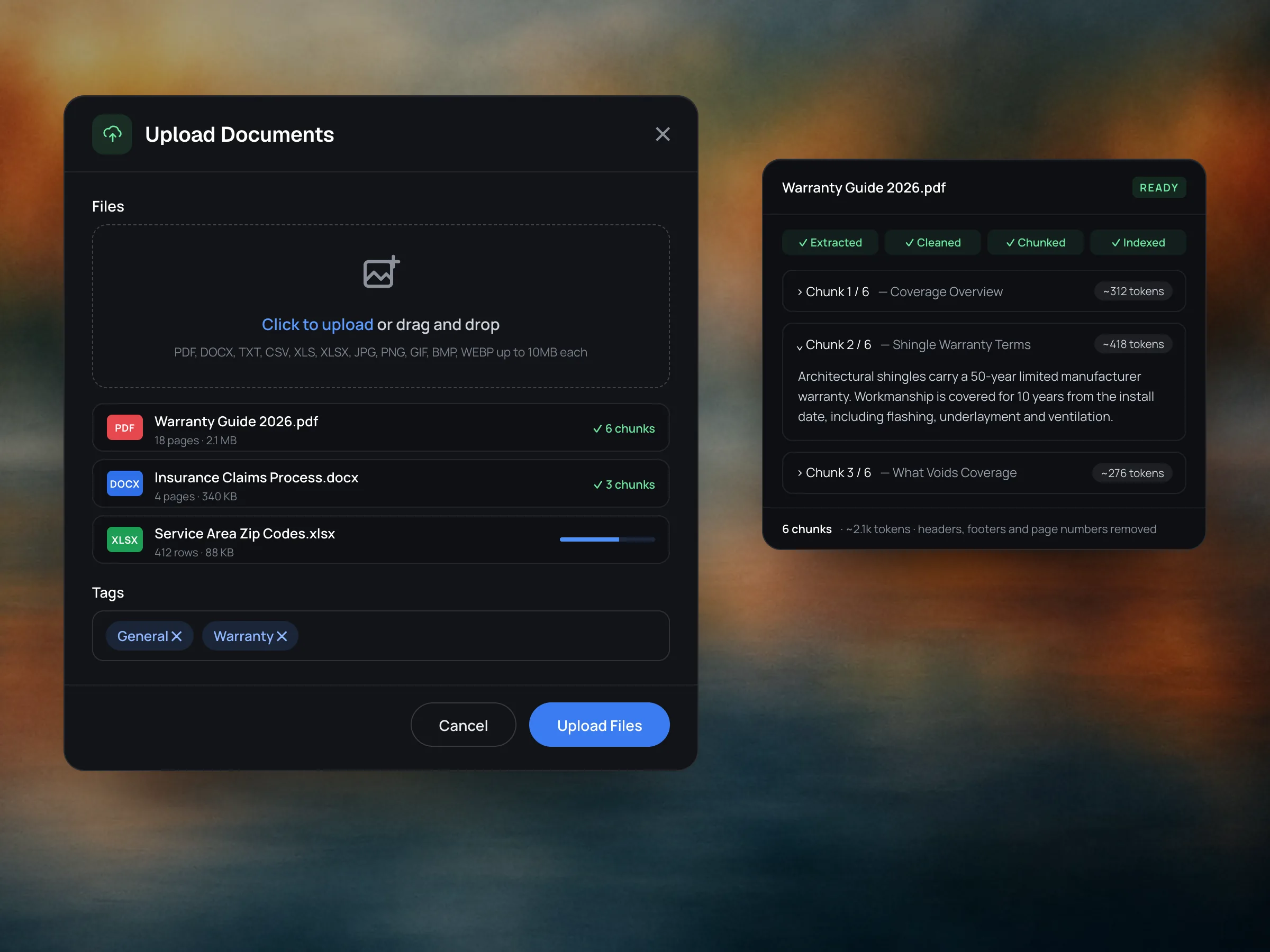
Upload PDFs, Word docs, spreadsheets, CSVs, text files and images. Myna extracts the content, cleans out headers, footers and page numbers, and organizes it into chunked, indexed memories.
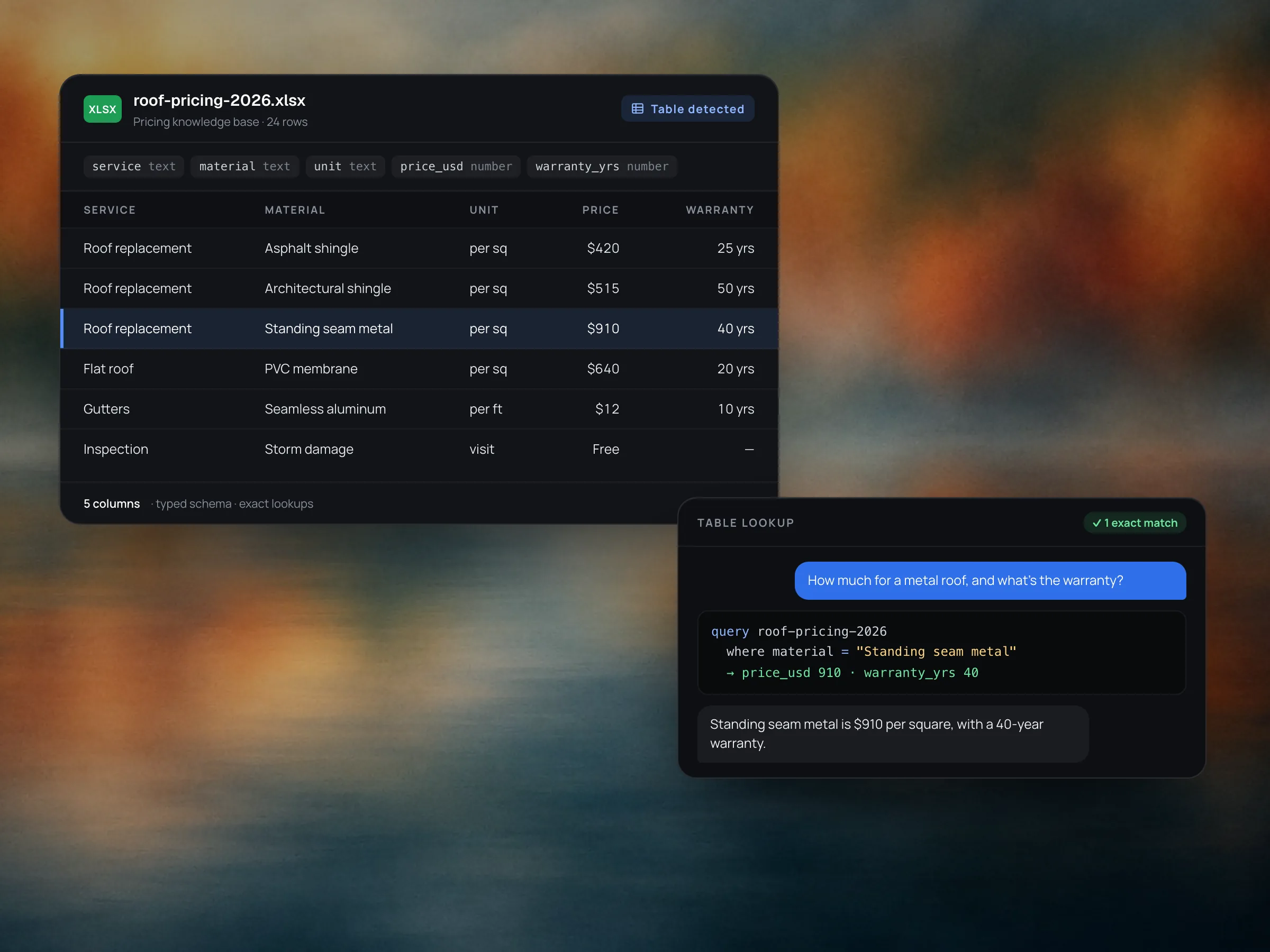
When Myna detects structured data, like a price list or a service-area sheet, it's stored as a typed table instead of text chunks. Agents look up the exact row they need, so prices, specs and zip codes come back deterministically and accurately.
See how often your agents pull from memory over time, which embeddings are retrieved the most, and how much you've stored across your knowledge bases.

Something else on your mind? The documentation has the details.
Read the documentationFree text and templates (FAQs, objections and rebuttals, word and phrase rules), websites, and documents: PDF, DOCX, TXT, CSV, XLS, XLSX and images such as JPG, PNG, GIF, BMP and WEBP, up to 10MB each.
Paste a URL and Myna maps the site, pre-selecting the homepage and high-value pages. Choose as many pages as you want, and Myna scrapes them, strips out the HTML noise and keeps the content. Pages you've already imported are skipped, and you can recrawl on a schedule.
Content is cleaned, then split into chunks and indexed. You can open any memory to see its chunks and their token counts.
When Myna detects structured data, like a price list or service-area sheet, it's stored as a table. Agents look up the exact row they need instead of searching text, so numbers come back exactly as written.
Yes. Group content into knowledge bases, for example one per location, and turn each on only for the agents and workflows that need it. General Memory is shared across your workspace.
Agents search memory when the conversation needs it. Results are ranked, and only those above a relevance threshold make it into the answer, so weak matches don't pad the reply.
When you save a correction or reinforcement on a reply in the Playground, it's stored as feedback. Once approved, agents with Feedback Memory enabled retrieve it automatically on later turns.
Yes. Memory Hub shows retrieval volume over 7, 30 or 90 days, your most retrieved memories, and totals for memories, chunks, tokens and storage.