
Every agent on Myna has a persona: who it is and how it sounds. Until now, you described that voice with sliders. Humor here, formality there.
That works, up to a point. But a description of a voice isn’t the voice. Ask ten people to write “casual, a bit witty, assertive” and you’ll get ten different texts. Ask your best salesperson to describe how they write and they’ll tell you something that doesn’t sound like them at all.
So personas now have two ways to find a voice, and you pick one:
- Mixer Mode: you describe the voice by setting levels on a console.
- Emulator Mode: you show Myna real messages you’ve sent to customers, and it learns how you write.
Here’s how both work, and what we built to make the second one trustworthy.
Character stays the same
A persona still has a Character: a name, a photo and a backstory. That part works the same in both modes, and it’s what gives the agent a consistent identity across every conversation.
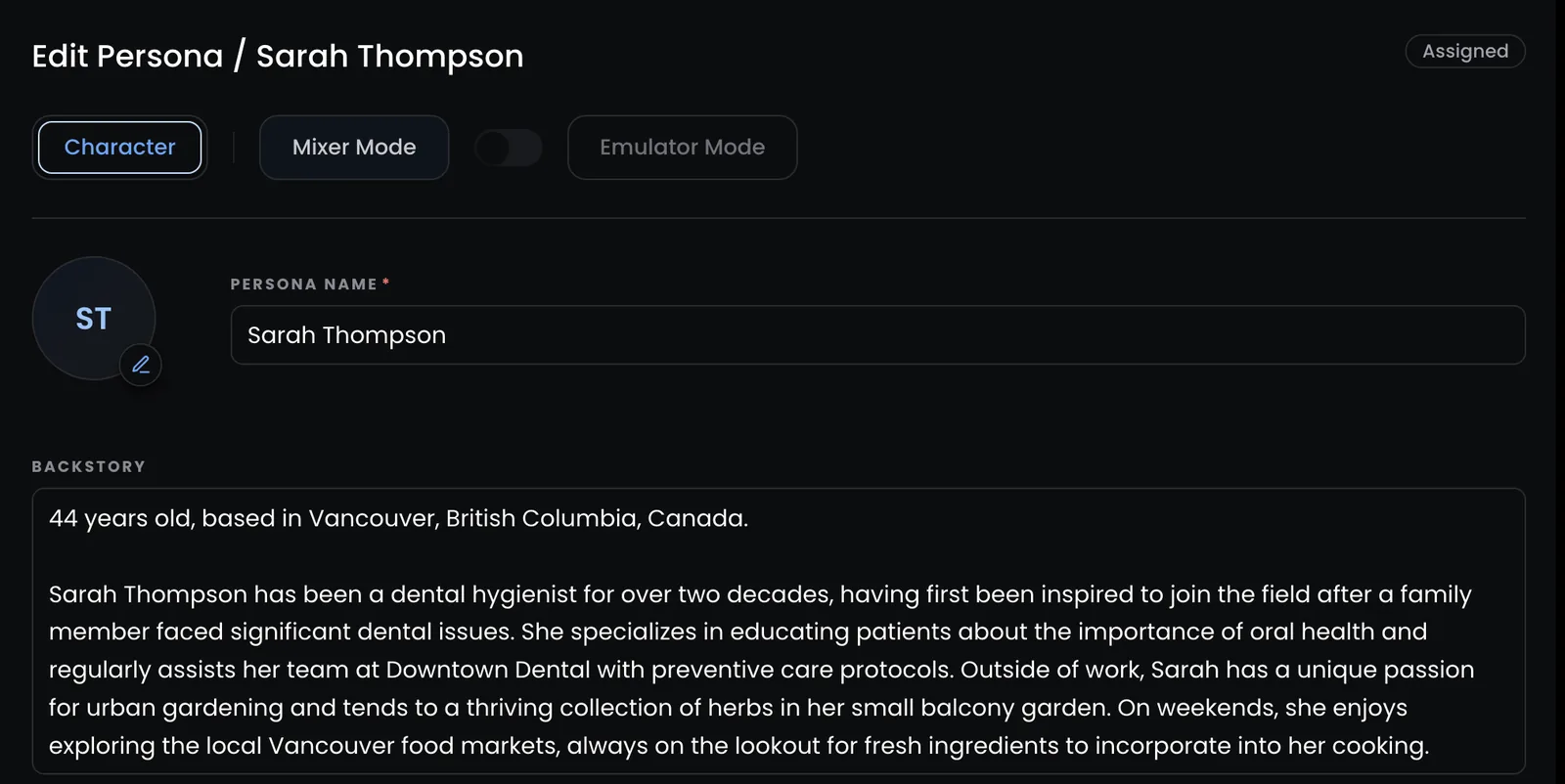
What changed is the voice. A persona uses Mixer Mode or Emulator Mode, never both. An emulated persona has no sliders, because the sliders would only fight the real thing.
Every persona you already have is a Mixer persona and behaves exactly as before. Once a persona is saved its mode is locked; to try the other one, duplicate it and pick a mode for the copy.
Mixer Mode: a console for your agent’s voice
Mixer Mode replaces the old Personality and Writing Style tabs with a single mixing desk.
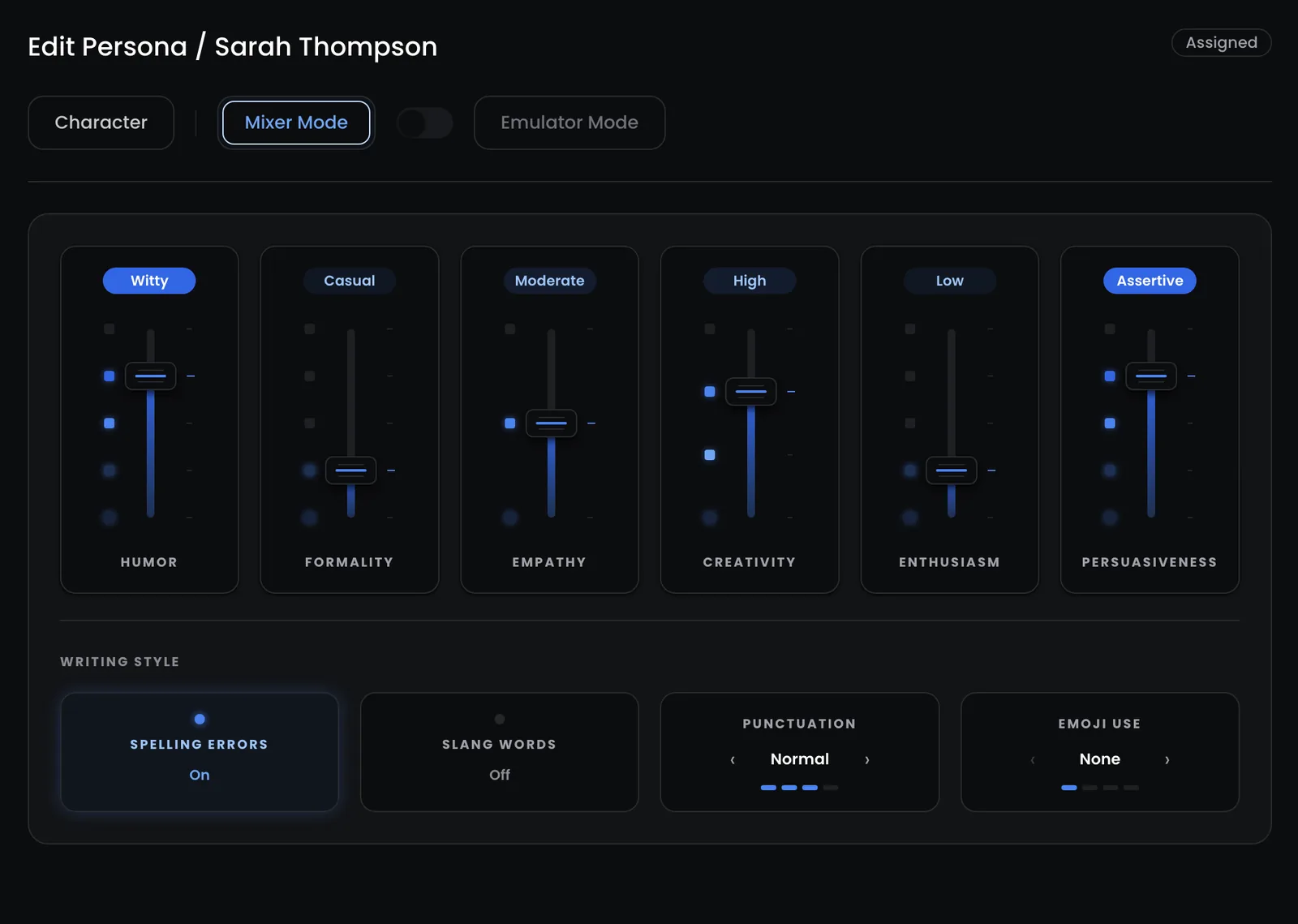
There are six faders, one per trait, each snapping to a level:
| Trait | Levels |
|---|---|
| Humor | none, subtle, moderate, witty, absurd |
| Formality | ultra casual, casual, adaptive, semi-formal, formal |
| Enthusiasm | deadpan, low, moderate, high, extreme |
| Empathy | low, moderate, high |
| Persuasiveness | passive, subdued, balanced, assertive, aggressive |
| Creativity | low, moderate, high, innovative |
Below them sit the writing habits: spelling errors and slang switch on or off, and punctuation (none to precise) and emoji (none to often) step through their levels.
Every level maps to a specific instruction the agent follows, not just a label. And because real people are full of contradictions, the agent knows how to hold two settings that pull in different directions. A formal persona with slang on uses the occasional slang word inside polished sentences. A deadpan persona with frequent emoji still uses them, just flatly.
Mixer Mode is the right choice when you’re designing a voice from scratch, or when the voice should be your brand’s rather than any one person’s.
Emulator Mode: show it how you write
Emulator Mode is the opposite approach. Instead of describing a voice, you give Myna messages you’ve actually sent to customers, and it works out how you write.
The research backs this up. In How Well Do LLMs Imitate Human Writing Style?, giving a model a few real examples produced up to 23.5× higher style-matching accuracy than asking it with no examples at all. Real examples drive the voice; a description only supports it.
There’s one more reason this matters in text specifically. Voice-cloning tools for speech have you read a fixed script, because a spoken voice sounds the same whatever the words. In writing, the words are the style. So there’s no script here: you write your own messages.
Two ways to add messages
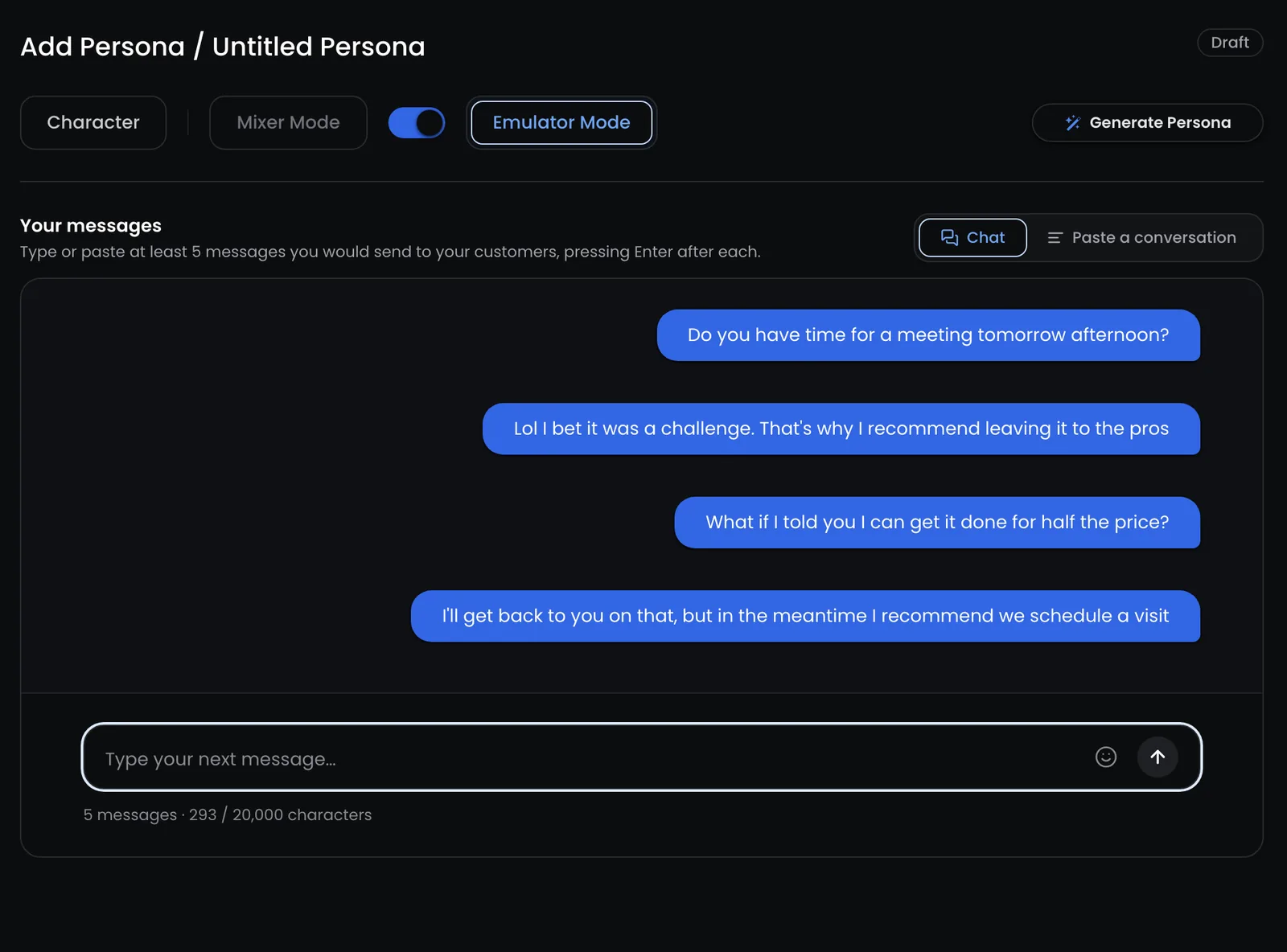
Chat. Type messages the way you’d really text a customer, one at a time. Each one becomes a bubble. Typos and short ones are fine.
Paste a conversation. Drop in a WhatsApp or iPhone Messages export, an email thread or a CRM conversation. Myna picks out which messages are yours.
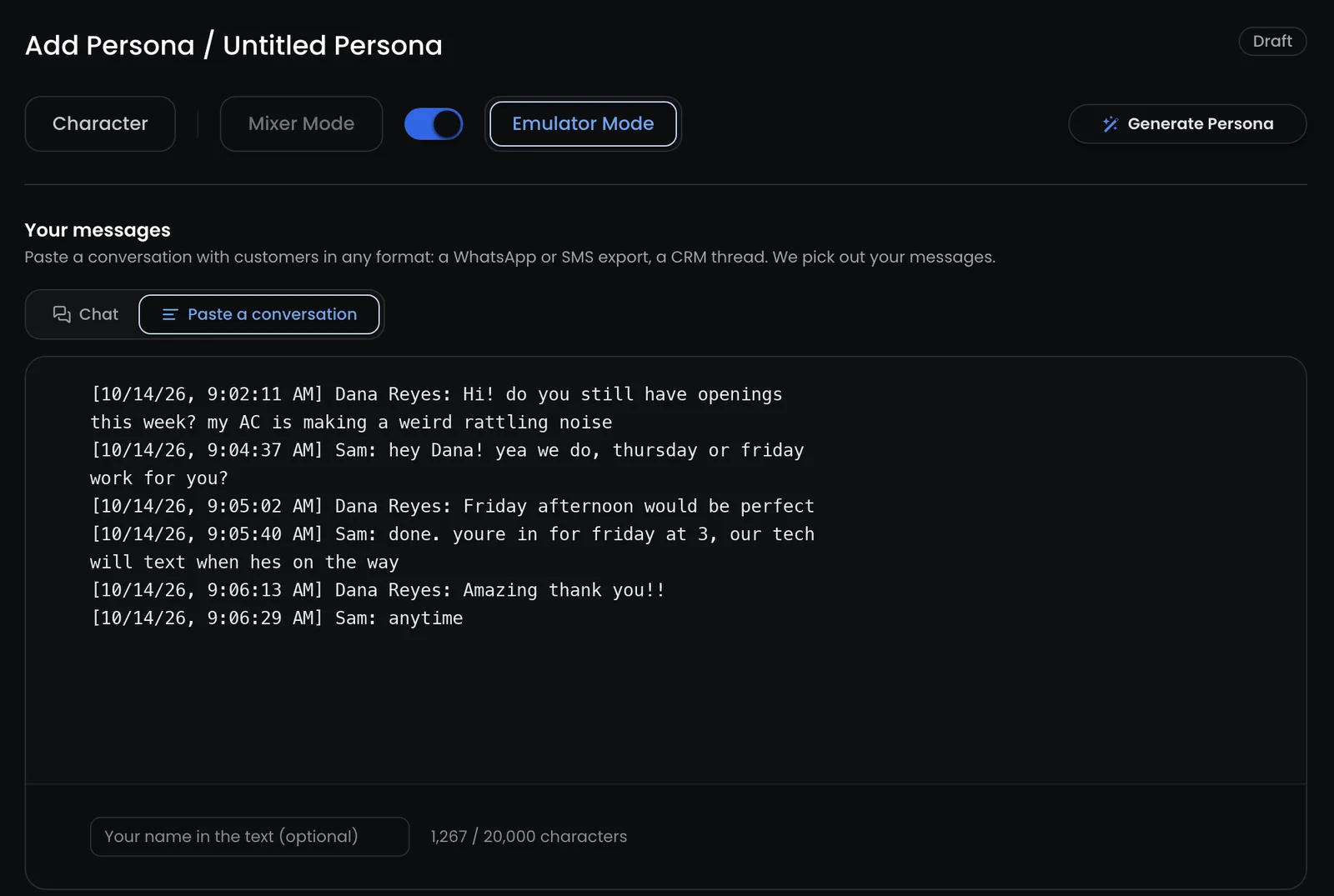
You need at least 5 messages, up to 20,000 characters in total, and they should be messages to customers. Texts to friends are a different register and would muddle the voice.
One thing we deliberately left out is a simulated customer to reply to. An early version had one, and it invented situations that didn’t fit the business and made people write as if they were taking a test. The placeholder cycles through common moments (a refund, a reschedule, an upset customer) but never suggests wording, so it never steers your voice.
What happens when you build the voice
A build takes about 20 seconds, and it only runs when you add messages, never during a live conversation.
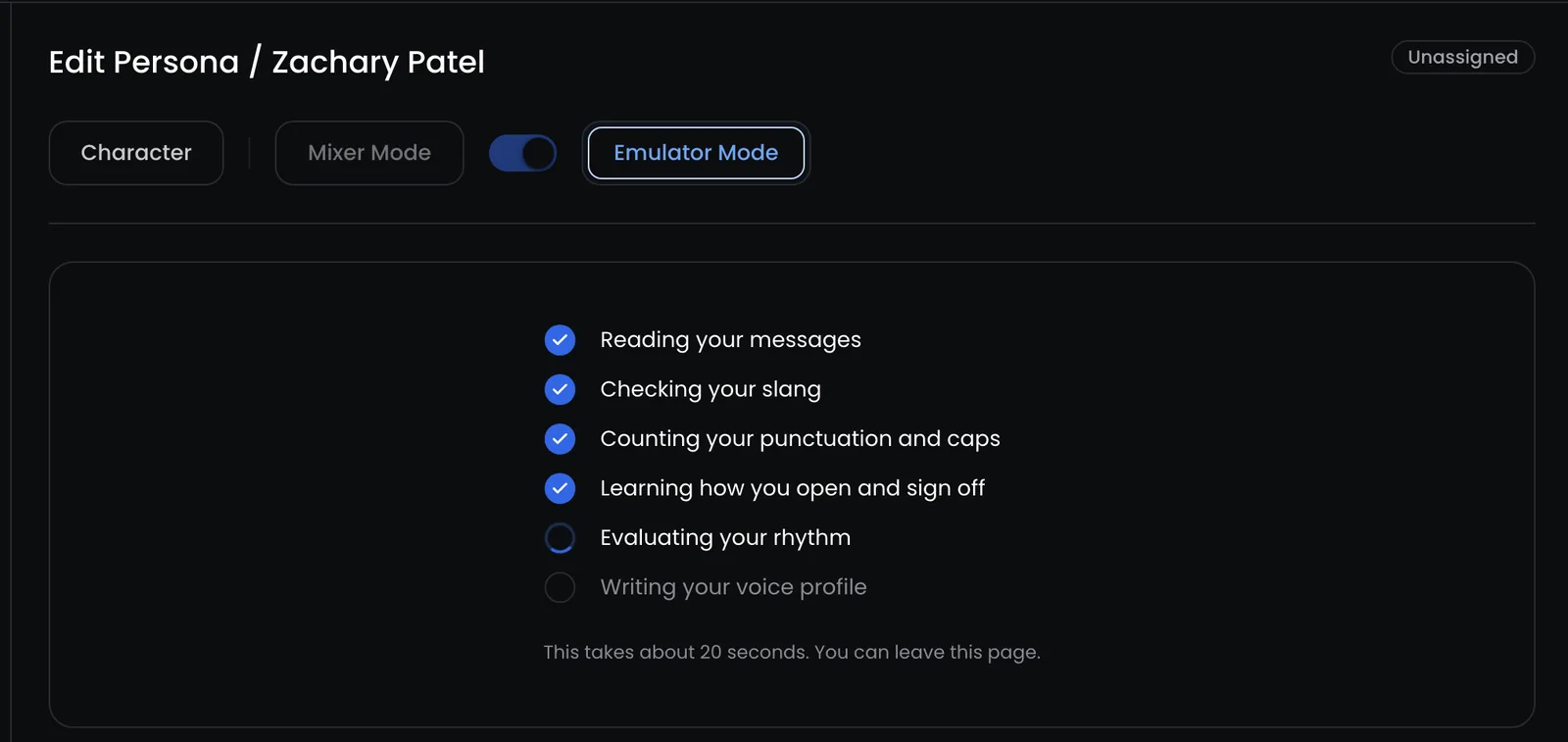
A few design decisions do most of the work.
Pasted text is never rewritten. For a named chat export, code splits the conversation exactly, with no model involved. For anything messier, like an email thread, the model only returns line numbers and who sent each one. Code then cuts your messages out of the original paste, so the model has no way to rewrite what you wrote. Signatures, quoted replies, headers and “image omitted” lines are dropped.
Facts are removed before anything is stored. Links, emails, dates, phone numbers, addresses, prices, times and days become placeholders like [PRICE] and [DATE]. Names and business terms stay. The goal is simple: an old price or date from your sample should never turn up in a live reply. The raw paste is deleted once your messages are stored.
Code counts, the model describes. Language models are bad at counting, so we don’t ask them to. Code measures exact rates, such as how often you start lowercase, ask a question, skip the final period, or use exclamation marks, emoji, slang and all-caps, and finds your recurring openers, sign-offs and phrases. The model then reads your messages like a forensic linguist and describes the habits, checked against those numbers.
Faithful, not flattering. The voice is never cleaned up. If you write lowercase, skip apostrophes (“dont”, “im”) or swear, the voice keeps it. A mistake you make every time is a habit; a one-off typo isn’t.
Length is never measured. Short and long belong to the channel, not the person. The same voice should work in an SMS, a webchat reply and an email, so Myna describes how your messages are built (“opens with a bare reaction like ‘Ok’ before any detail”), never how long they are.
The voice card
When the build finishes, you get a read-only voice card.
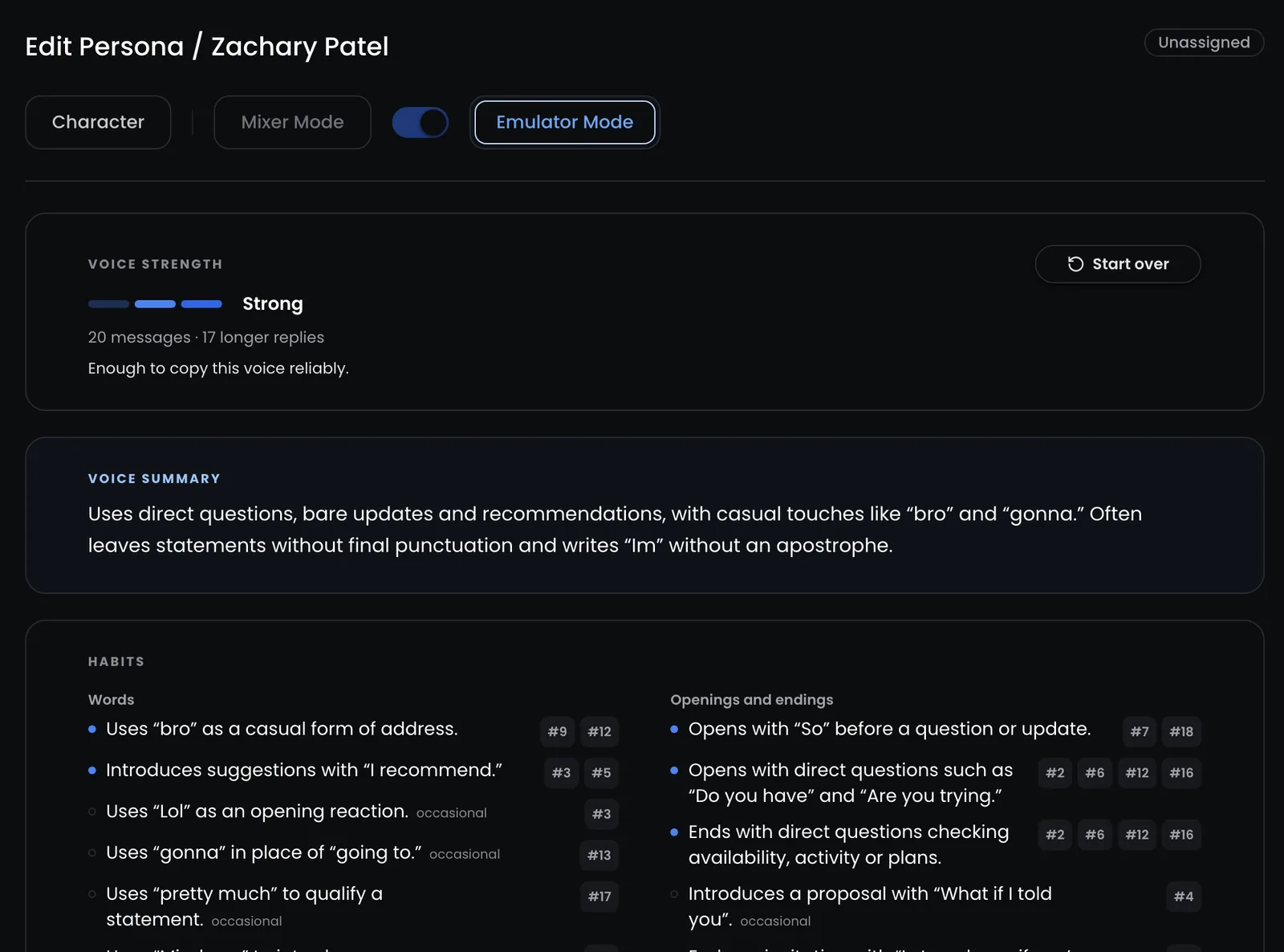
The strength meter tells you whether you’ve given it enough to work with. Good means 8 or more messages with at least 5 longer replies; Strong means 15 or more, at least 8 longer replies, and habits that hold steady across the whole sample. If you’re short, it tells you exactly what to add.
Below that are the habits, grouped into words, openings and endings, spelling and grammar, punctuation and caps, rhythm, and how you handle things. Every habit cites the messages it came from, so you can hover a #12 and see the exact line it was drawn from, and occasional habits are marked as such.
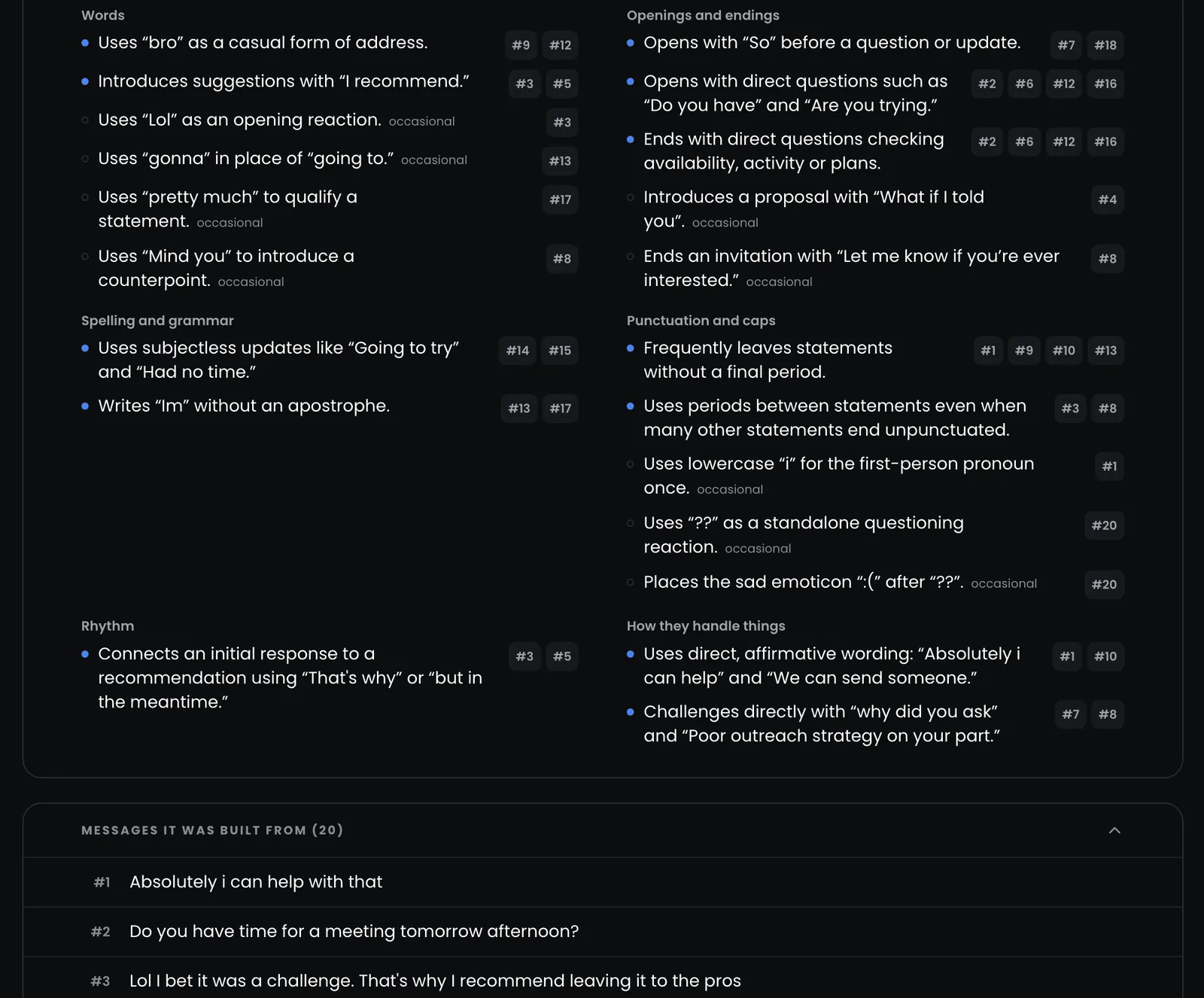
The agent also gets a small, fixed set of real example replies from your sample: up to six, one for each kind of moment (a question, a price, a booking, a complaint, an objection and so on). Keeping it to one per situation stops the agent from copying lines instead of learning the voice.
Style, not substance
The hardest part of emulating a voice isn’t the voice. It’s making sure the agent copies how you write and never what you wrote.
So every emulated persona works under a fixed rule: copy the voice, never the content. The agent never takes a fact, price, promise, offer or step from an example, and never reuses your exact sentences. When an example and the agent’s instructions disagree on substance, the instructions win.
Behind that is a clear order of priority: safety, then truth and instructions, then the channel’s rules, then the voice. The voice decides how a reply sounds. It never decides what the reply says or how long it is.
That matters in the awkward moments. If your voice is jokey and a customer is upset, the agent keeps your mechanics (your spelling, punctuation, slang and capitalization) and softens the rest. It still sounds like you, just you on a careful day.
And if an emulated persona’s voice isn’t ready yet, the agent simply replies in a neutral voice. It never falls back to old slider settings.
Try it in the Playground
Your personas list shows which mode each one uses, and the Playground is the place to hear the result before anything goes live.
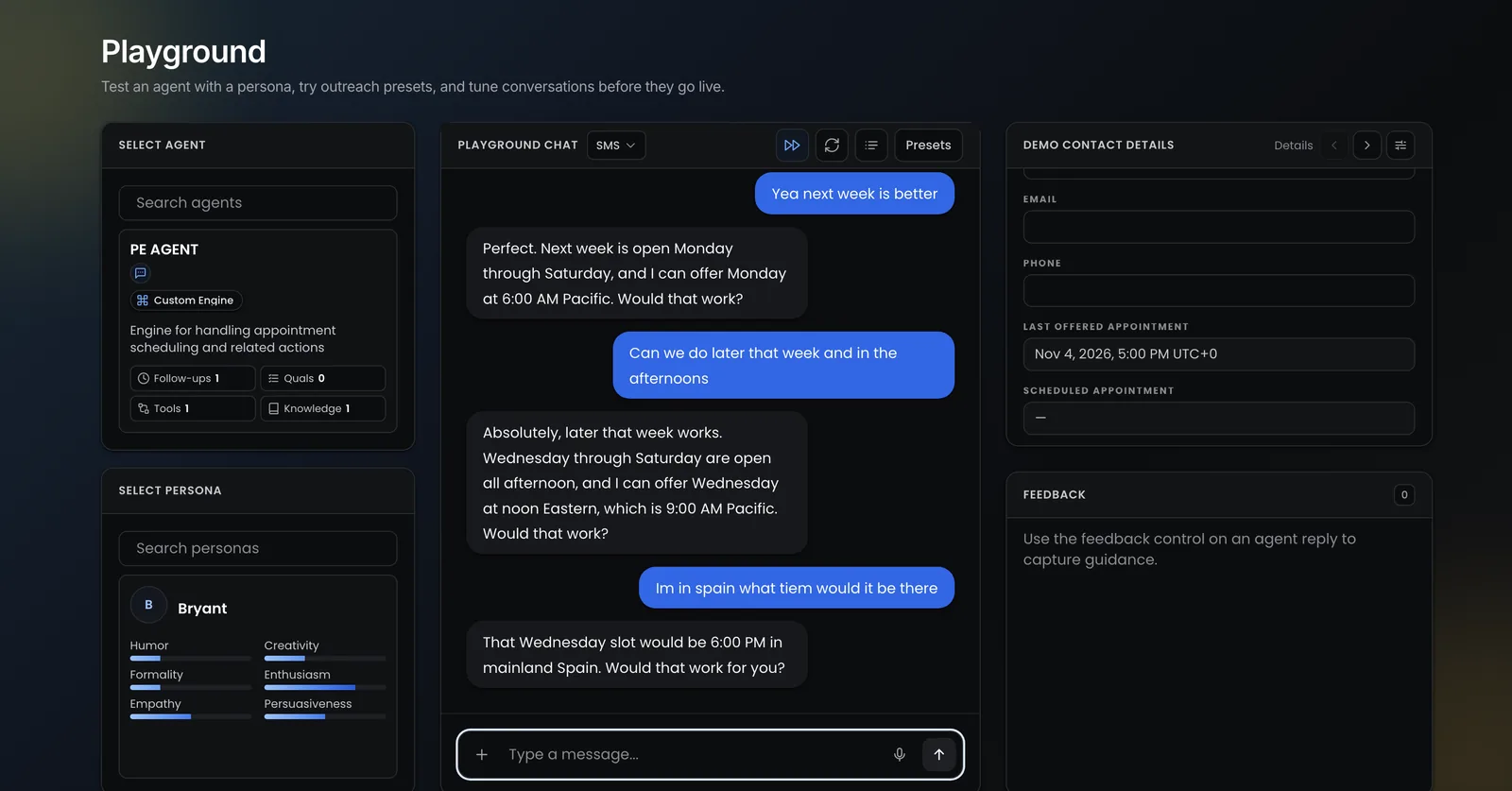
Pick an agent, pick a persona, and talk to it. Agent settings, Workflow Studio and the Playground all show an emulated persona’s summary and top habits in place of tone bars, so you always know which voice you’re testing.
Which mode should you use?
- Use Emulator Mode when the voice already exists: yours, your best rep’s, or the way your team already texts customers. This is how La Perle Tours built Mimi from nine real messages, Creole greetings and all.
- Use Mixer Mode when you’re designing a voice that doesn’t exist yet, or want precise control over each trait.
Either way, the voice only ever changes how your agent sounds. What it says still comes from your instructions and your knowledge base.
Personas are live for every workspace. Open your personas and try it with five messages you sent this week, or read more about Personas on Myna.