


TL;DR: A single conversational agent works well until its instructions turn into a small novel and its toolbox gets crowded, at which point it starts mixing up its jobs. Multi-agent customer experience splits the work between specialists, typically a first agent that works out what the customer needs and hands over to a focused agent for booking, support or follow-up. This post covers when splitting is worth it, the patterns that work, how handoffs keep the customer from noticing, and then builds a three-agent patient intake workflow in Myna’s Workflow Studio, node by node.
Hospitals stopped expecting one doctor to do everything a long time ago. A patient who walks into an emergency department is first seen by a triage nurse, whose job is to work out how urgent the problem is and who should see it, and only then by the specialist who actually treats them. The triage nurse doesn’t need to know how to set a fracture, and the orthopaedic surgeon doesn’t need to spend the morning sorting out who has a headache and who has a heart attack, and the whole system works better because each of them has a narrower job.
Conversational AI tends to start from the opposite end. The first agent most businesses build is a generalist, asked to answer questions, qualify leads, book appointments, handle complaints and follow up on quotes, all from one set of instructions. That works surprisingly well at first, and then gradually stops working, usually in ways that are hard to pin down, such as a booking rule ignored here or a support question answered in a sales voice there.
Multi-agent customer experience is the fix that most mature deployments end up reaching for. This post explains when it’s worth it, how the pieces fit together, and how to build one.
Why one agent eventually isn’t enough
A single agent runs into trouble for reasons that have more to do with attention than intelligence. Every instruction, tool description and rule is something the model has to weigh on every turn, and models follow instructions less reliably as the pile grows, which is why a rule that worked perfectly in a short prompt can be quietly ignored once the prompt is ten times longer.
There are a few signs that an agent has reached that point:
- Its instructions contradict themselves: the booking rules say “always ask for an email first” while the support rules say “never ask for personal details before verifying the account”, and the agent has to guess which applies.
- It picks the wrong tool: with a dozen tools available, it occasionally reaches for one that has nothing to do with the conversation.
- Its tone wobbles: the upbeat voice that suits new enquiries leaks into conversations with upset customers.
- One part needs tighter permissions: for example, refunds should only be possible after an account check, which is hard to enforce when every tool is always available.
Splitting the agent addresses all four at once, because each specialist only carries the instructions, tools and tone for its own job.
Patterns that work
There are several ways to arrange a team of agents, and Anthropic’s widely read guide to building effective agents describes most of them. For customer conversations, three patterns cover the great majority of cases.
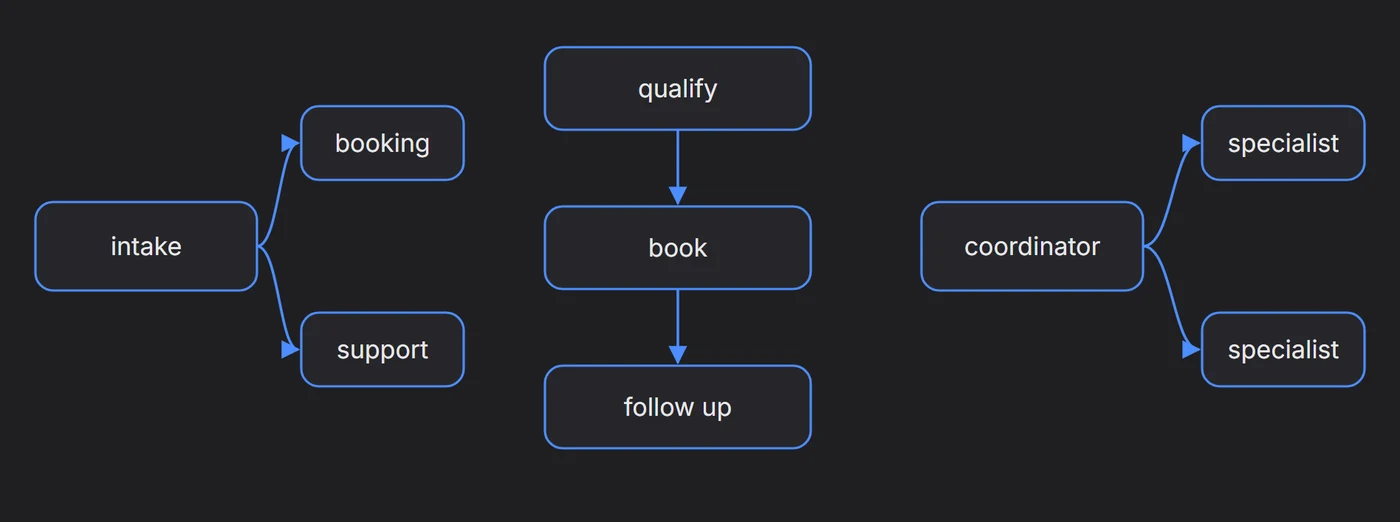
Routing: a first agent, often called an intake or triage agent, works out what the customer needs and hands the conversation to the right specialist. This is the most common pattern and the easiest to reason about, since every conversation ends up with exactly one specialist in charge.
Sequence: agents hand over in a fixed order, such as a qualifying agent that collects the details, followed by a booking agent that finds a time, followed by a follow-up agent that checks in afterwards. It suits processes that always happen in the same order.
Supervisor: a coordinating agent stays in charge of the conversation and brings in specialists for particular tasks, returning to the customer with their results. It’s the most flexible pattern and the hardest to keep predictable, so it’s usually reserved for complicated cases.
A good rule of thumb: start with routing. Most businesses that think they need a supervisor actually need a router with one or two more specialists.
The handoff is the hard part
Splitting an agent creates a new problem, which is the moment the conversation moves from one agent to another. Done badly, it’s obvious to the customer, who is greeted again, asked for details they’ve already given, or answered in a noticeably different style.
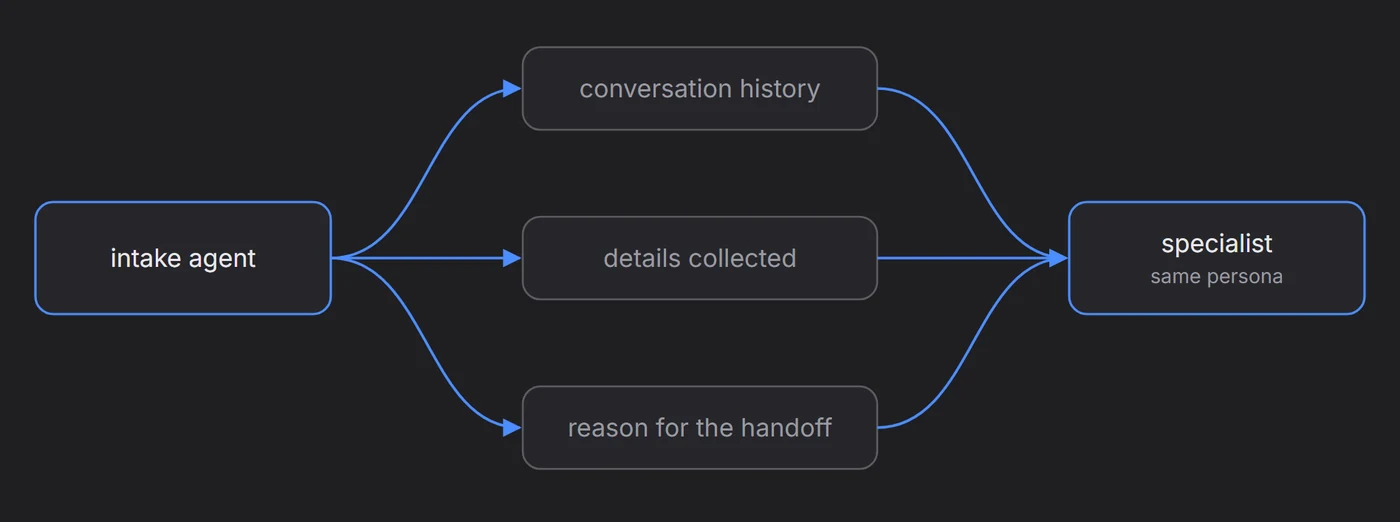
A good handoff passes three things along with the conversation: the history so far, the details already collected, such as a name, email or visit type, and the reason for the handoff, so the specialist knows why it’s been brought in. The persona usually stays the same across every agent, which means that from the customer’s side there’s one conversation with one voice, even though several agents with very different instructions have taken part in it.
Building it in Myna’s Workflow Studio
Myna’s Workflow Studio lays an agent out on a canvas as nodes connected by lines. Each Agent Node has its own instructions, context and tools, and conditions on a node can send the conversation to another node when they’re met, which is how a team of agents is built.
The node library groups the building blocks by what they do. Conversation nodes such as the Agent Node, Statement, Question and Chat talk to the customer. Logic nodes such as Condition, Trigger, Wait and End decide what happens next. Actions such as Update Contact, Manage Tags or Book Appointment change things without sending a message.
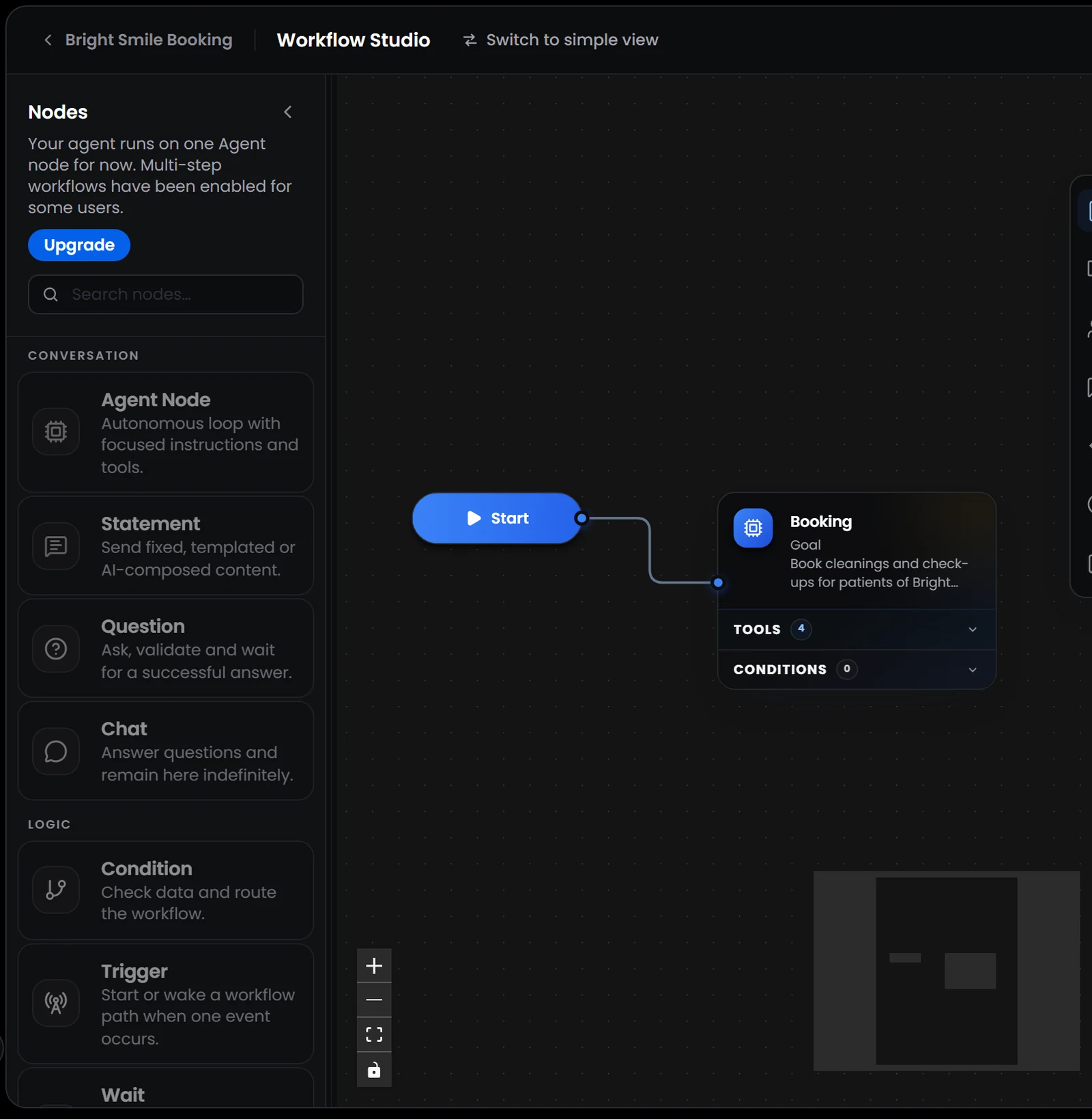
Worth knowing: multi-step workflows are being rolled out gradually, so some workspaces still run their agent on a single Agent Node, with the other nodes shown greyed out in the library.
As an example, we’ll build a patient intake workflow for a dental clinic with three agents: an intake agent that greets the patient and works out whether they’re new or returning, a new-patients agent that books first visits, and a follow-up agent that rebooks returning patients.
1. Turn the first Agent Node into an intake agent
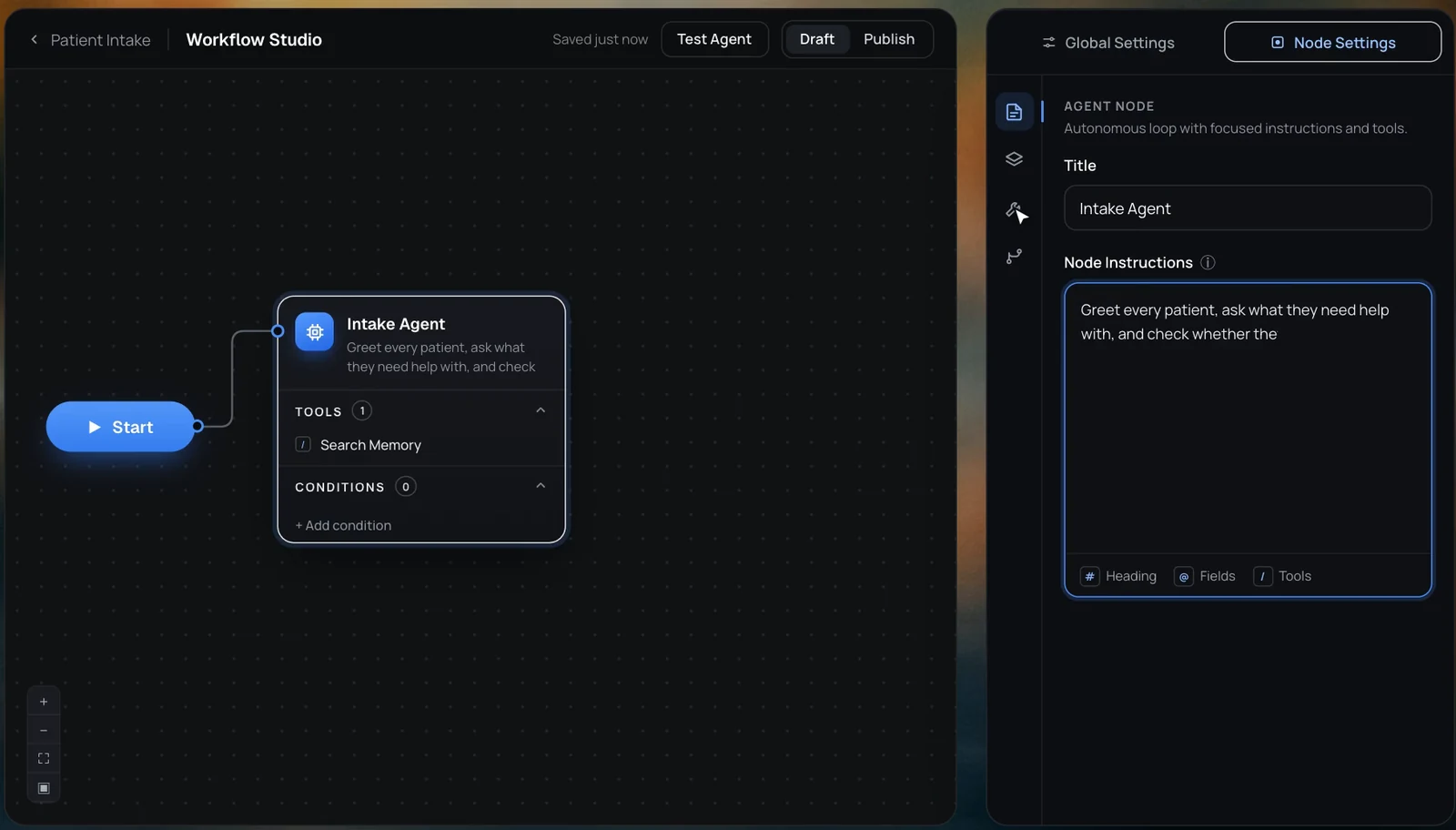
Every workflow begins with a Start node connected to an Agent Node. Select the Agent Node and, in Node Settings, give it a title that describes its job, in this case Intake Agent.
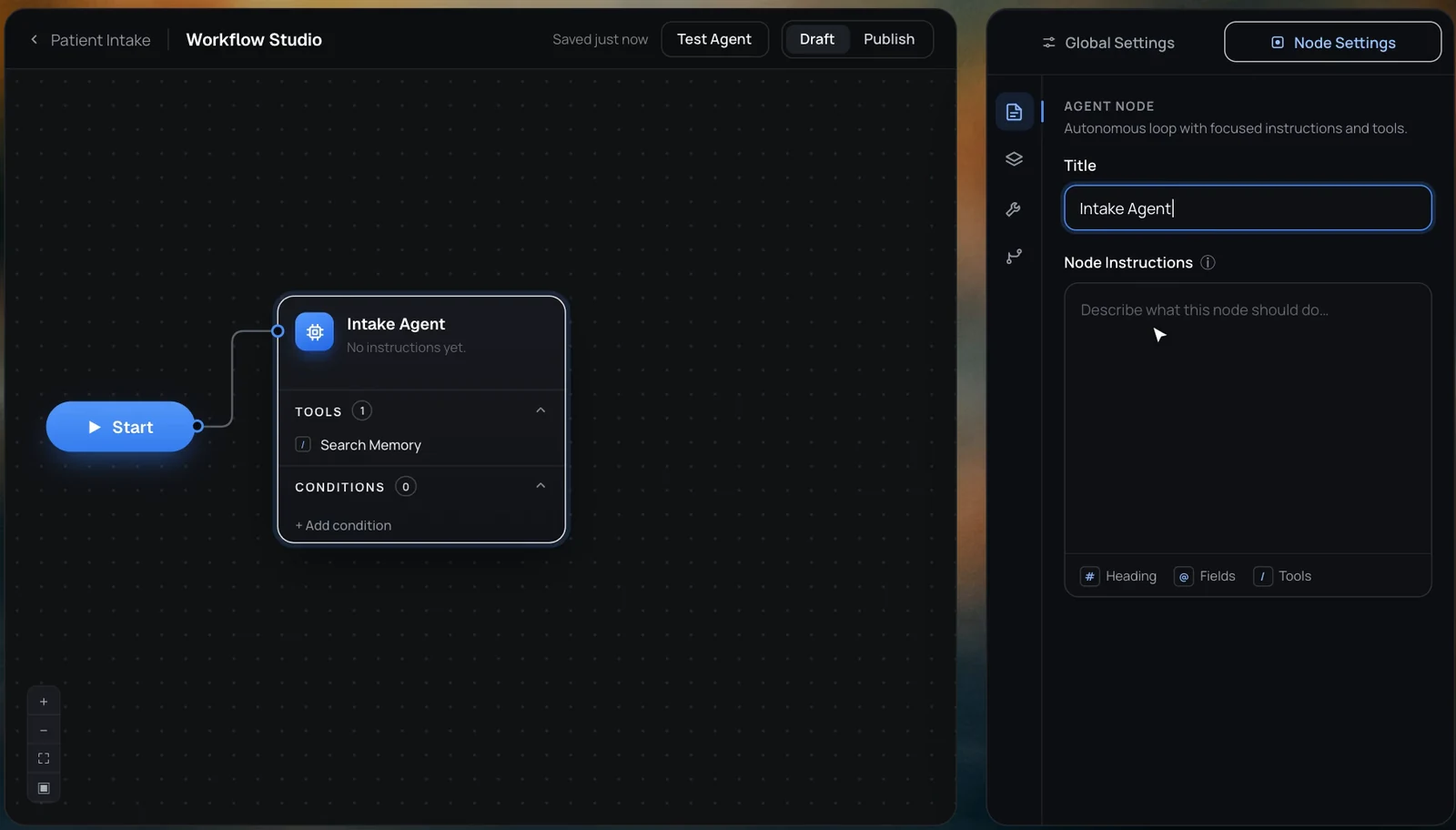
2. Give it narrow instructions
The intake agent’s job is small on purpose. Its instructions say to greet every patient, ask what they need help with, and check whether they’ve been to the clinic before, and nothing about booking rules or prices, since those belong to the specialists.
3. Give it only the tools it needs
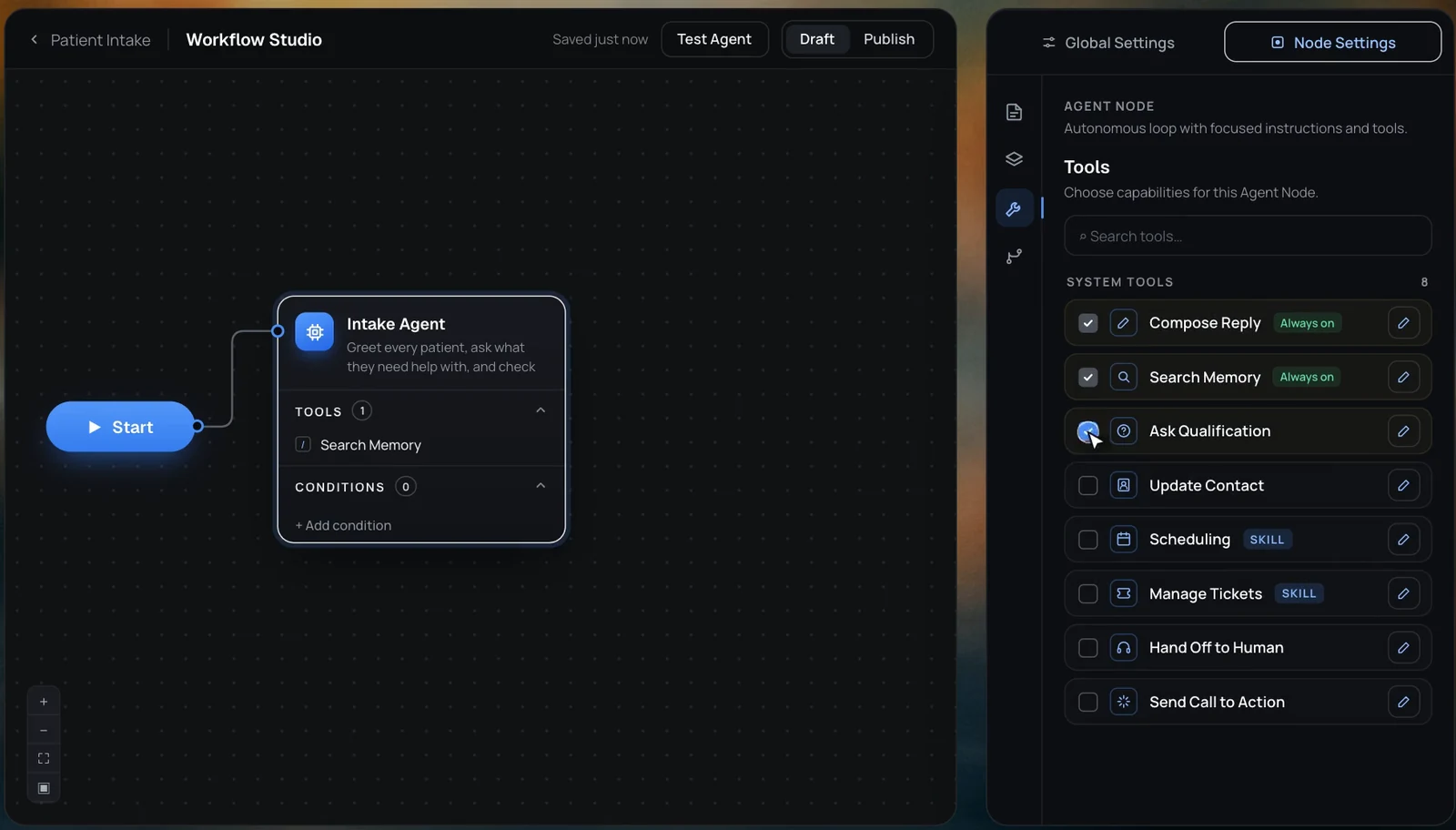
Under Tools, the intake agent gets Search Memory to answer simple questions, Ask Qualification to ask whether the patient is new, and Update Contact to save what it learns. It deliberately has no scheduling tools, so it can’t book anything even if a patient asks it to.
4. Add the specialists and the conditions that route to them
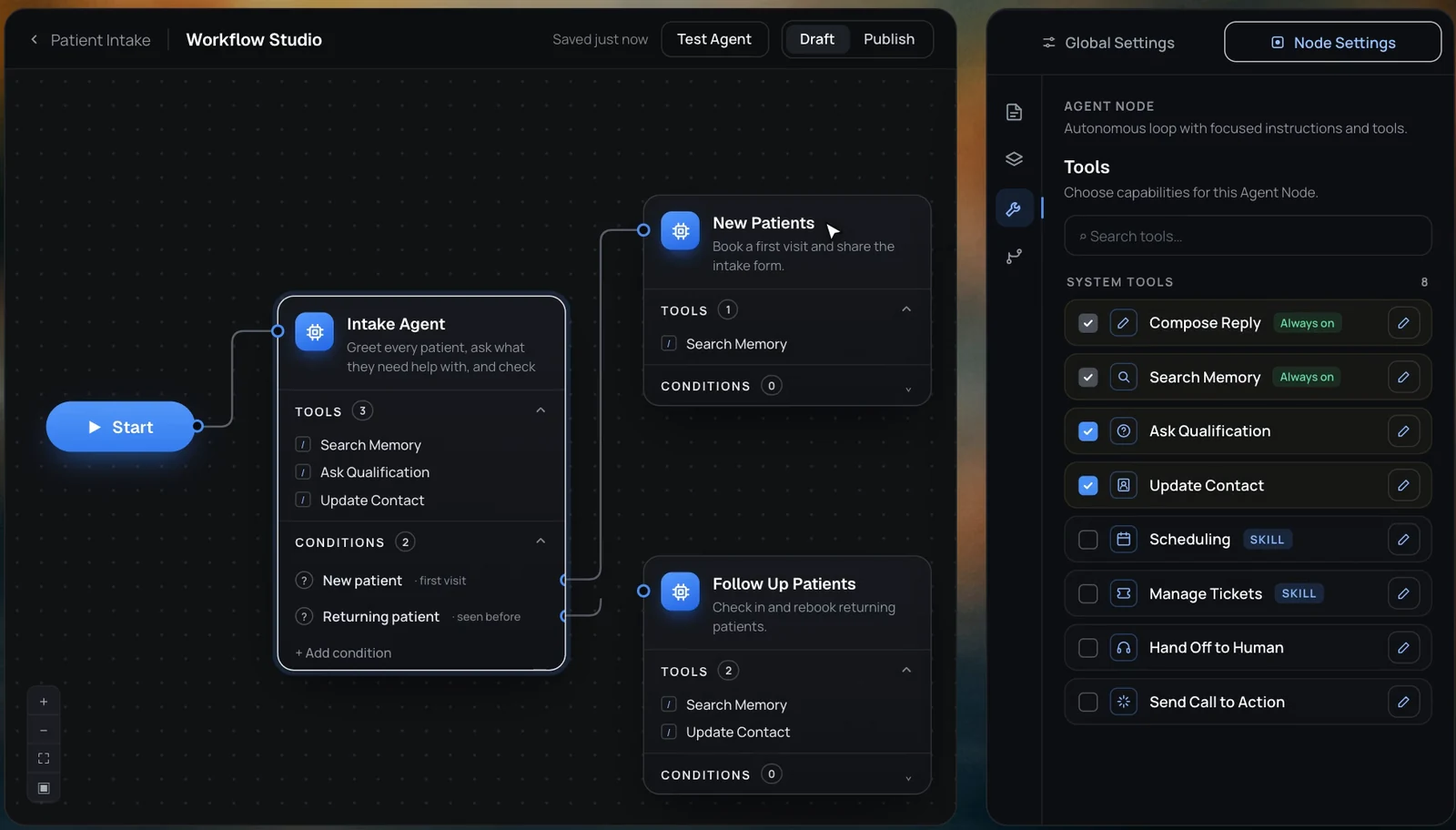
Add two more Agent Nodes, New Patients and Follow Up Patients, each with its own instructions. Then add two conditions to the intake agent, New patient and Returning patient, and connect each one to the matching specialist. When the intake agent learns which kind of patient it’s talking to, the condition is met and the conversation moves to that node.
5. Give each specialist its own toolbox
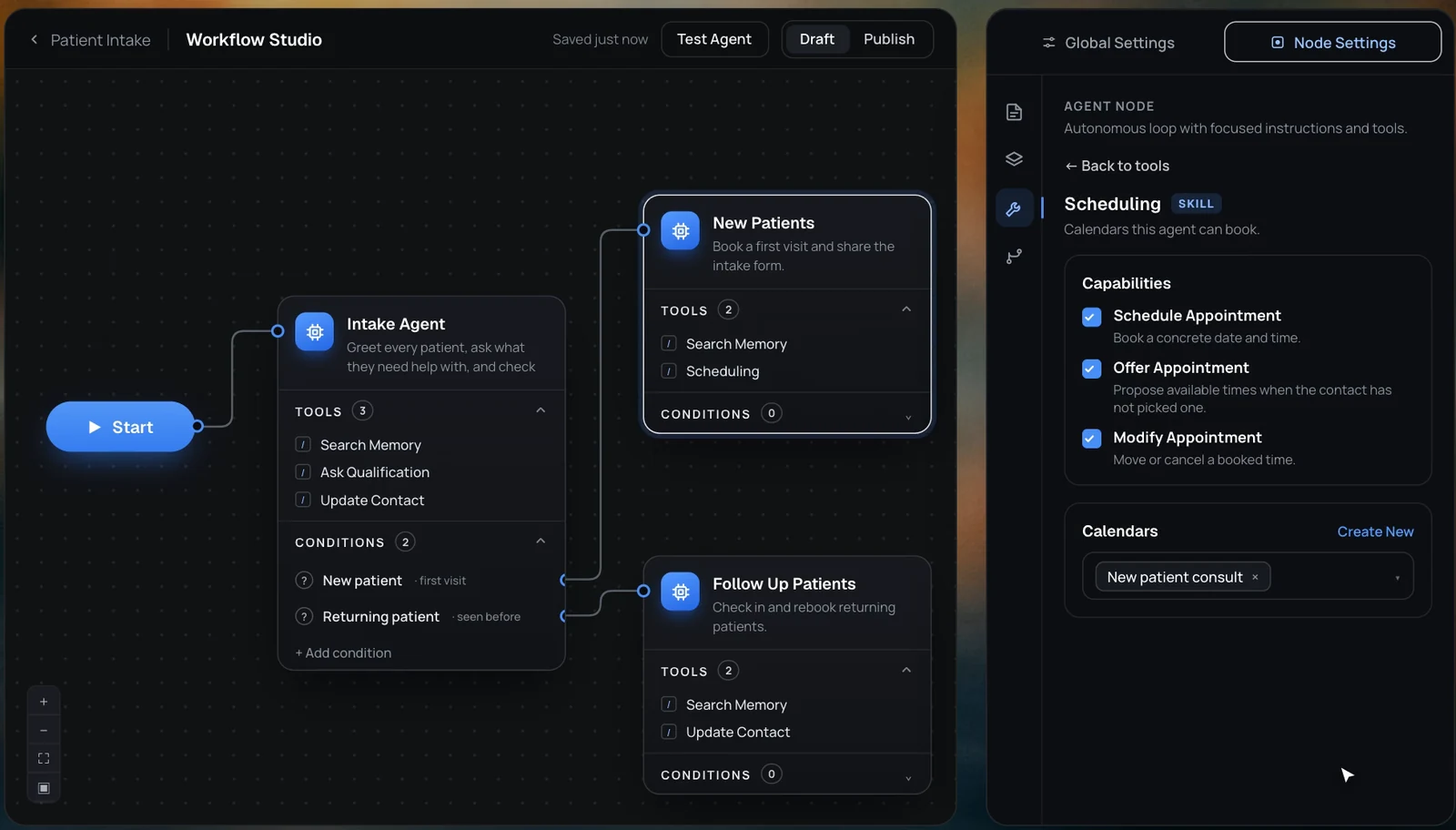
Finally, give each specialist the tools for its job. The New Patients agent gets Scheduling, connected to a calendar for first-visit consultations, while the follow-up agent gets the tools for its own job. Because each specialist only has its own tools, a returning patient can never end up booked into a new-patient consultation by mistake.
From the patient’s side, nothing about this is visible. They send a message, answer one question, and find themselves talking to an agent that knows exactly what they need and can book it, all in one conversation and in one voice.
When splitting is worth it
Multi-agent setups are powerful, but they add moving parts, and every extra agent is something else to maintain and test. A few guidelines help decide whether a split is worth it.
| Split when | Keep one agent when |
|---|---|
| Different customers need different goals, such as booking versus support | Every conversation has roughly the same goal |
| The instructions have grown long enough to contradict themselves | The instructions fit comfortably and nothing conflicts |
| One step needs stricter permissions than the rest | Every tool is safe to use at any point |
| The tone should differ between parts of the conversation | One tone suits every conversation |
| You want to test and improve one part without touching the others | Changes usually affect the whole conversation anyway |
One practical test: if you can’t describe what a specialist agent does in a single sentence, it probably isn’t specialised enough to be worth splitting out.
A team with one voice
The triage nurse and the orthopaedic surgeon work well together because each has a narrow job and a clear moment at which the patient moves from one to the other. A multi-agent customer experience works on the same principle, with focused agents, a deliberate handoff and enough shared context that the customer never has to start again.
Most businesses won’t need a team of agents on day one, and a single well-built agent covers a great deal of ground. But when the instructions start contradicting themselves and the toolbox gets crowded, splitting the work is usually the moment an agent stops being a generalist that does everything adequately and becomes a team that does each thing well.