
Most people who run Myna don’t spend their day at a desk. A roofing owner is up on a roof. A med spa manager is between appointments. An agency lead is in a client meeting. Their AI agents keep answering customers the whole time, but until now, checking on those conversations meant opening a laptop.
Starting today, the Myna CX app is available on the App Store and Google Play. It’s free, and it works with any Myna account.
What the app is for
Your agents do the work. They answer questions, resolve support requests, follow up with leads, book appointments and update customer records, on SMS, email, web chat, WhatsApp, voice, Instagram, Facebook Messenger and Telegram. The app is where you keep an eye on that work and step in when it matters. Building and configuring agents still happens on the web.
Every conversation, live
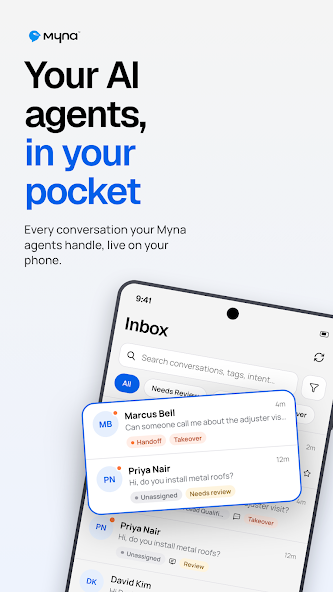
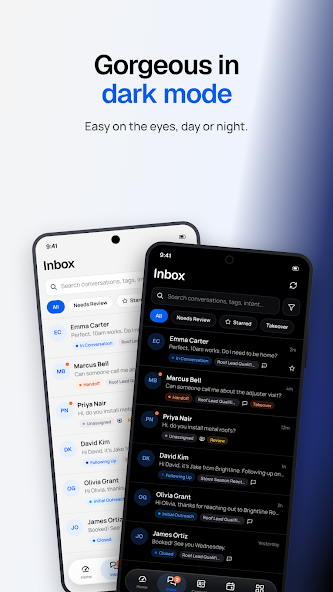
The inbox shows every conversation your agents are handling, across every channel, as it happens. You can filter by Needs review, Starred or Takeover so the conversations that need you come first, or search by name, tag or intent. Each thread shows the full history, your team’s internal notes, and whether someone has already taken over.
Take over with one tap
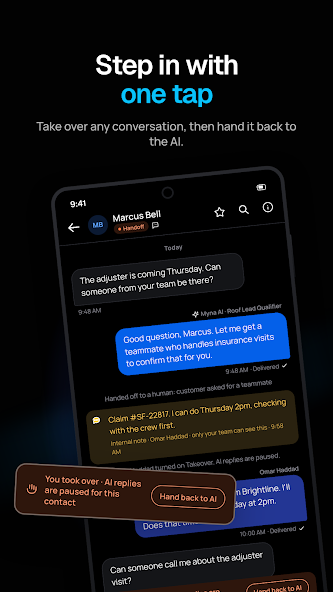
Sometimes a customer needs a person. They might be frustrated, the job might be unusual, or it might be a customer you’d rather answer yourself. Tap Take over and the AI pauses for that contact. You reply from your phone on the same channel the customer is using, and you can leave internal notes your team can see but the customer can’t. When you’re done, hand the conversation back and the agent carries on with the full history in front of it.
Know how your agents are doing
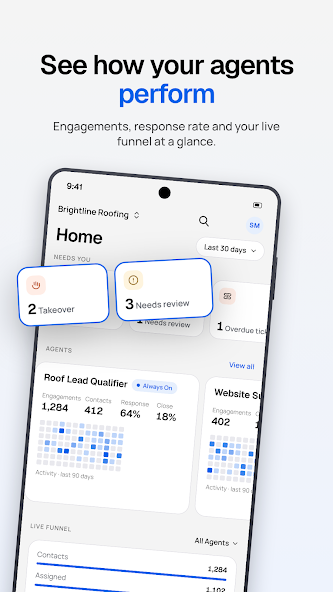
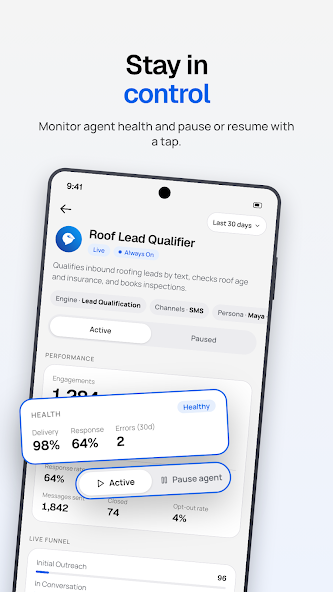
The home screen puts what needs you first: takeovers waiting, conversations to review and overdue tickets. Below that are engagements, response rate and a live funnel from first outreach to closed. Open any agent to check its health, including delivery, response rate and errors, and pause or resume it with a tap. If something looks off on a Saturday afternoon, you don’t have to wait until Monday to deal with it.
Contacts, tickets and your calendar
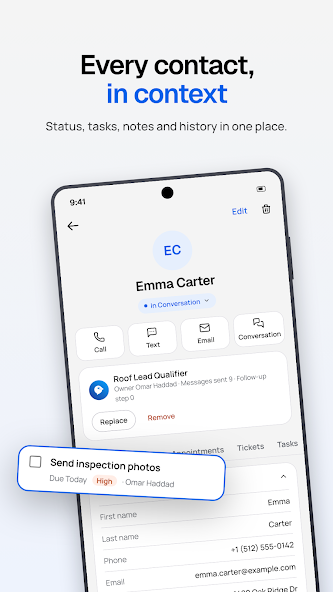
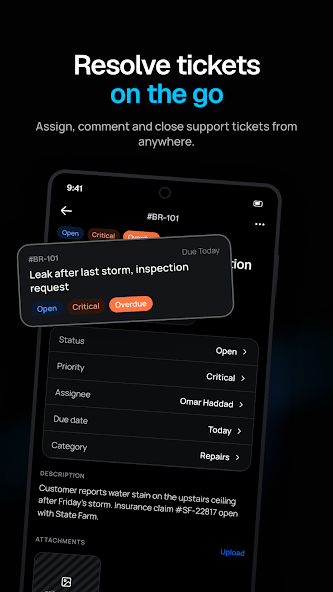
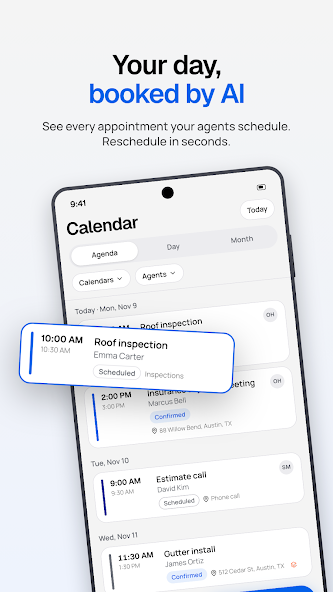
Every contact card has the customer’s status, tasks, notes, appointments and conversation history, and you can call or text them straight from it. You can open, assign, comment on and close support tickets, and each ticket links back to the conversation it came from. The calendar shows every appointment your agents have booked in agenda, day or month view, and rescheduling takes a few seconds.
For teams and agencies
Team members see what their role allows, the same as on the web. If you run an agency, you can switch between client workspaces in a couple of taps, so you can look after several clients’ agents from one phone. Light and dark themes follow your device settings.
Get the app
Search for “Myna CX” on the App Store or Google Play, or use the links below. Sign in with the email you use for Myna, using your password or an email code. If you don’t have an account yet, create one for free at myna.cx, then download the app.
Questions or feedback on the app can go to support@myna.cx.